Public APIs 🌐📚⚡
Real data. Zero cost. One line of Python. Public APIs are free libraries — walk in, grab your data, walk out!
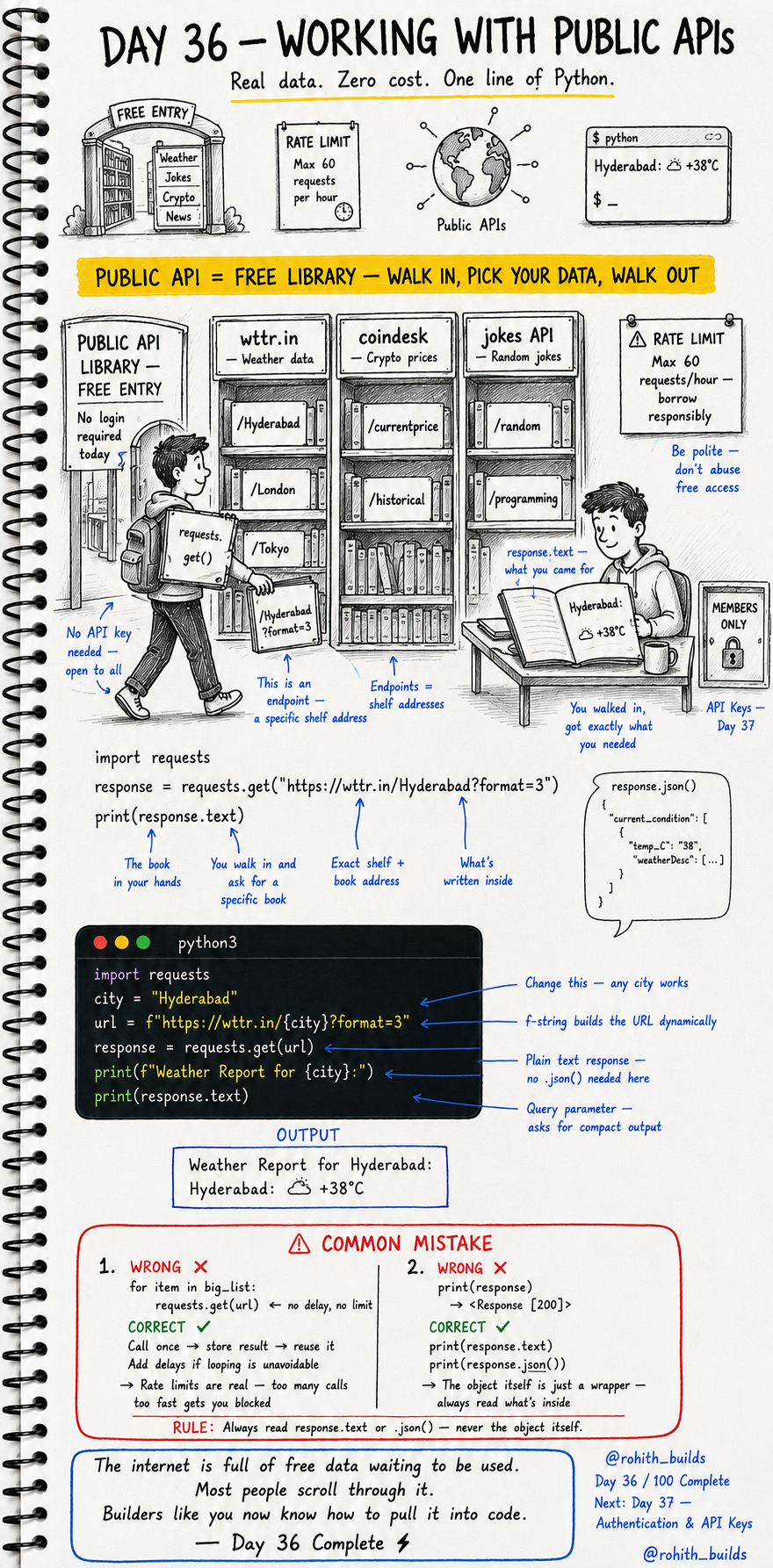
Day 36: Working With Public APIs — Free Data for Everyone!
What's a Public API?
Imagine a public library with free entry. Walk in, pick any book, read it, walk out. No membership needed today. Public APIs work exactly like that — free data, no login required, open to everyone. Weather data, crypto prices, random jokes, news — all waiting for your Python code to grab them right now!
Your First Public API Call
import requests

city = "Hyderabad"
url = f"https://wttr.in/{city}?format=3"
response = requests.get(url)

print(f"Weather Report for {city}:")
print(response.text)
Output: Weather Report for Hyderabad: Hyderabad: +38C. Real live weather data from the internet in 5 lines! Change "Hyderabad" to any city in the world — it works. That's the power of public APIs!
Three Free APIs You Can Use Today
import requests

# Weather — any city!
requests.get("https://wttr.in/London?format=3")

# Crypto prices
requests.get("https://api.coindesk.com/v1/bpi/currentprice.json")

# Random jokes
requests.get("https://official-joke-api.appspot.com/random_joke")
No login. No API key. No payment. Just run and get real data instantly. These are your playground — experiment freely!
Reading the Response Correctly
import requests

response = requests.get("https://official-joke-api.appspot.com/random_joke")

print(response.text)      # raw text
print(response.json())    # parsed as Python dict
print(response.status_code)  # 200 = success
response itself is just a wrapper object — useless to print directly. Always use response.text for plain text or response.json() for structured data. response.status_code tells you if it worked!
Real World Connection
Every weather app on your phone is calling a public weather API. Every cryptocurrency tracker is calling a crypto API. News apps call news APIs. Score apps call sports APIs. The app is just a nice interface on top of API data. Now you can build those same apps — you have the exact same tools!
Common Mistakes
Mistake 1 — Calling APIs too fast in a loop.
for city in big_list:
    requests.get(url)   # WRONG — too fast, gets you blocked!

response = requests.get(url)  # CORRECT — call once, store result, reuse!
Mistake 2 — Printing the response object directly.
print(response)          # WRONG — prints Response [200], useless!
print(response.text)     # CORRECT — prints actual content!
print(response.json())   # CORRECT — prints parsed data!
Mini Challenge
Mini Challenge
Build a mini weather app! Ask the user to input a city name. Use that city in the wttr.in URL with an f-string. Print the weather report. Run it for 3 different cities. You just built a real working weather app that every developer would be proud of!
Quick Quiz
Q: What's the difference between response.text and response.json()? A: .text gives raw string. .json() parses it into a Python dictionary you can navigate!
Q: What does a 200 status code mean? A: Success — the API responded correctly!
Q: Why shouldn't you call an API hundreds of times in a fast loop? A: Rate limits! Too many calls too fast gets your IP blocked. Be polite, borrow responsibly!
Key Takeaways
Key Takeaways
- Public APIs are free — no login, no cost, real data available instantly.
- requests.get(url) sends your request. response.text or .json() reads the answer.
- Never print the response object directly — always read what's inside it.
- Rate limits are real — don't call APIs too fast or you'll get blocked.
- Weather, crypto, jokes, news — real data waiting for your code right now!
Continue Learning with Rohi
You've used your 3 free Rohi questions. Create a free account to continue learning.