API Requests 📱🌐💻
One line of Python. The entire internet at your fingertips. requests.get() connects your code to any server on the planet!
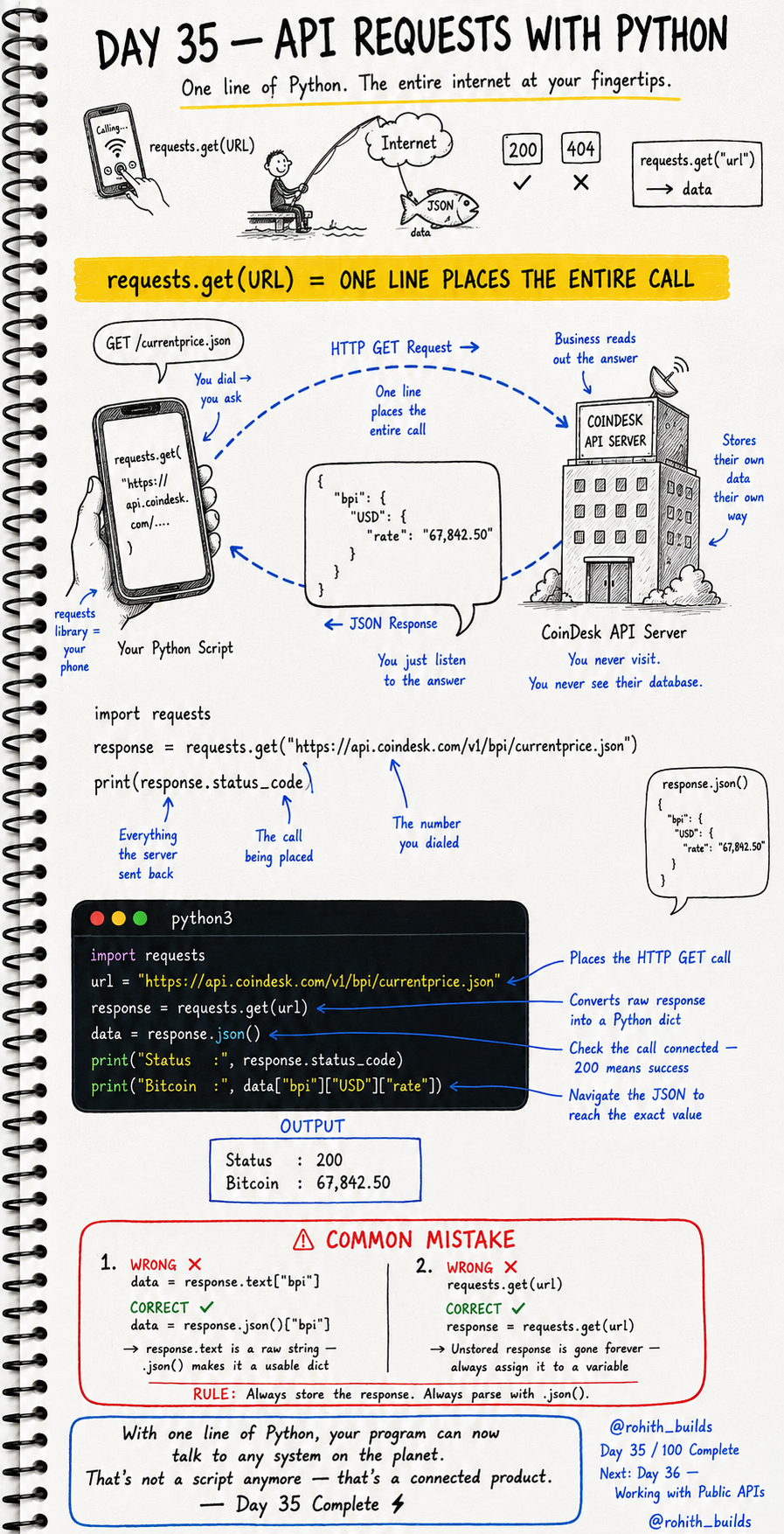
Day 35: API Requests with Python — Talk to Any Server!
What's requests.get()?
Think of your Python script as a phone. requests.get() is you dialling a number. The API server picks up, reads you the answer, and hangs up. One line of code places the entire call, gets the response, and brings it back to you. The entire internet becomes reachable from your Python file!
Install First
pip install requests
Run this in your terminal once. Then you can use requests in any Python file forever!
Your First Real API Request
import requests

url = "https://api.coindesk.com/v1/bpi/currentprice.json"
response = requests.get(url)
data = response.json()

print("Status  :", response.status_code)
print("Bitcoin :", data["bpi"]["USD"]["rate"])
Output: Status: 200, Bitcoin: 67,842.50. Four lines. Your Python just called a live server, got real Bitcoin price data, and printed it. That's a connected product — not just a script!
Breaking It Down
requests.get(url) — dials the server and places the HTTP GET call. response — everything the server sent back. response.status_code — 200 means success, 404 means not found. response.json() — converts the raw response into a Python dictionary you can navigate. data["bpi"]["USD"]["rate"] — drills into the nested JSON to get exactly what you need!
Real World Connection
Every app that shows live data uses this exact pattern. Crypto apps call a price API every few seconds. Sports score apps call a scores API after every play. Stock market apps call a finance API constantly. Flight tracking apps call an aviation API. The app itself is just a nice interface around requests.get(). Now you can build that interface!
Navigating the JSON Response
import requests

response = requests.get("https://api.coindesk.com/v1/bpi/currentprice.json")
data = response.json()

# Navigate layer by layer
print(data["bpi"])                    # everything inside bpi
print(data["bpi"]["USD"])             # just USD data
print(data["bpi"]["USD"]["rate"])     # just the rate number
Think of it like folders inside folders. data is the top folder. ["bpi"] opens a subfolder. ["USD"] opens another. ["rate"] gets the file you need. Always go one layer at a time!
Common Mistakes
Mistake 1 — Using .text instead of .json() to navigate data.
data = response.text["bpi"]     # WRONG — text is a raw string, can't navigate!
data = response.json()["bpi"]   # CORRECT — json() makes it a dict!
Mistake 2 — Not storing the response.
requests.get(url)              # WRONG — response gone forever!
response = requests.get(url)   # CORRECT — stored and reusable!
Mini Challenge
Mini Challenge
Using the CoinDesk API, print both the USD and GBP Bitcoin prices. Hint — look for "GBP" instead of "USD" in the nested data. Then print the time the data was last updated — it's somewhere in the JSON. Explore the response to find it. This is exactly how professional developers learn new APIs!
Quick Quiz
Q: What does response.json() return? A: A Python dictionary you can navigate with keys — not a raw string!
Q: What does status code 200 mean? A: Success — the server responded and everything worked!
Q: Why must you always store the response in a variable? A: If you don't store it, it disappears and you'd have to call the API again!
Key Takeaways
Key Takeaways
- requests.get(url) places an HTTP call and brings back the server's response.
- Always store the response — response = requests.get(url).
- Use response.json() to convert the response into a navigable Python dict.
- Navigate nested JSON layer by layer using keys.
- One line of Python can now talk to any server on the planet!
Continue Learning with Rohi
You've used your 3 free Rohi questions. Create a free account to continue learning.