SQL Basics 🗄️🔍⚡
Give your program permanent memory. Variables die when code stops. Databases live forever!
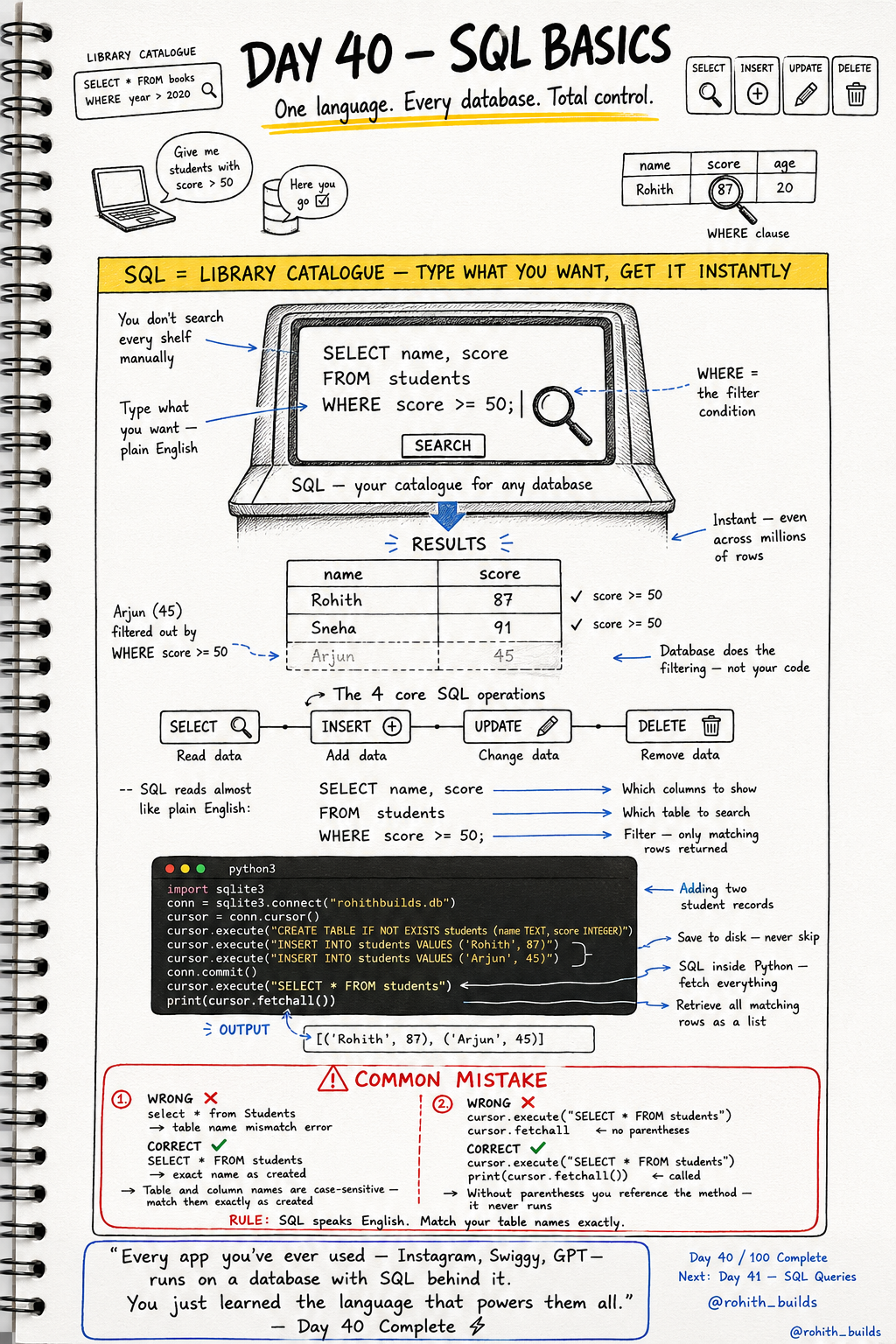
Day 40: SQL — The Language Every Database Understands!
What's SQL?
Imagine a library with a million books. You don't search every shelf manually. You go to the catalogue, type what you want, and get it instantly. SQL is that catalogue for your database! Type what you want in almost plain English and the database finds it in milliseconds — even across millions of rows!
The 4 Core SQL Operations
SELECT = read data. INSERT = add data. UPDATE = change data. DELETE = remove data. These four commands control everything in every database in the world. Master these and you can work with any database — SQLite, MySQL, PostgreSQL, all of them!
SELECT — Read Data
import sqlite3

conn = sqlite3.connect("rohithbuilds.db")
cursor = conn.cursor()

cursor.execute("SELECT * FROM students")
print(cursor.fetchall())

cursor.execute("SELECT name, score FROM students WHERE score >= 50")
print(cursor.fetchall())
SELECT * gets all columns. SELECT name, score gets only those two. WHERE score >= 50 filters — only rows matching the condition come back. Database does the filtering, not your Python code!
INSERT, UPDATE, DELETE
# INSERT — add new data
cursor.execute("INSERT INTO students VALUES ('Sneha', 91)")
conn.commit()

# UPDATE — change existing data
cursor.execute("UPDATE students SET score = 95 WHERE name = 'Rohith'")
conn.commit()

# DELETE — remove data
cursor.execute("DELETE FROM students WHERE score < 50")
conn.commit()
Always conn.commit() after INSERT, UPDATE or DELETE. Without it the changes exist only in memory and never reach the actual file. Think of it as pressing Save!
Real World Connection
When you search on Instagram, it runs SELECT with WHERE to find matching posts. When you like a post, it runs UPDATE to increase the like count. When you delete a message on WhatsApp, it runs DELETE. When you create an account anywhere, it runs INSERT. Every app you've ever loved — Instagram, Swiggy, ChatGPT — runs on SQL behind the scenes!
Common Mistakes
Mistake 1 — Wrong table name capitalization.
SELECT * FROM Students   # WRONG — table was created as "students"!
SELECT * FROM students   # CORRECT — match exactly as created!
Mistake 2 — Forgetting parentheses on fetchall.
print(cursor.fetchall)    # WRONG — references method, never runs!
print(cursor.fetchall())  # CORRECT — () actually calls it!
Mini Challenge
Mini Challenge
Create a students database. Insert 4 students with different scores. Use SELECT WHERE to fetch only students who passed (score >= 50). Then UPDATE one student's score. Then DELETE students who failed. Print the final list. You just built the same grade management system every school app uses!
Quick Quiz
Q: Which SQL command fetches data? A: SELECT — SELECT * FROM tablename!
Q: How do you filter results in SQL? A: WHERE clause — WHERE score >= 50 returns only matching rows!
Q: What must you always do after INSERT, UPDATE or DELETE? A: conn.commit() — confirms and permanently saves the change!
Key Takeaways
Key Takeaways
- SQL has 4 core commands — SELECT, INSERT, UPDATE, DELETE.
- SELECT fetches data. WHERE filters it — database does the work, not your code.
- Always match table and column names exactly — SQL is case-sensitive!
- Always conn.commit() after changing data — without it nothing is saved.
- Every app you've ever used runs SQL behind the scenes — now you speak that language!
Continue Learning with Rohi
You've used your 3 free Rohi questions. Create a free account to continue learning.