Sorting Data 🏆📊⬆️⬇️
Every list becomes a leaderboard with ORDER BY. Sort highest first, lowest first — raw data becomes meaningful instantly!
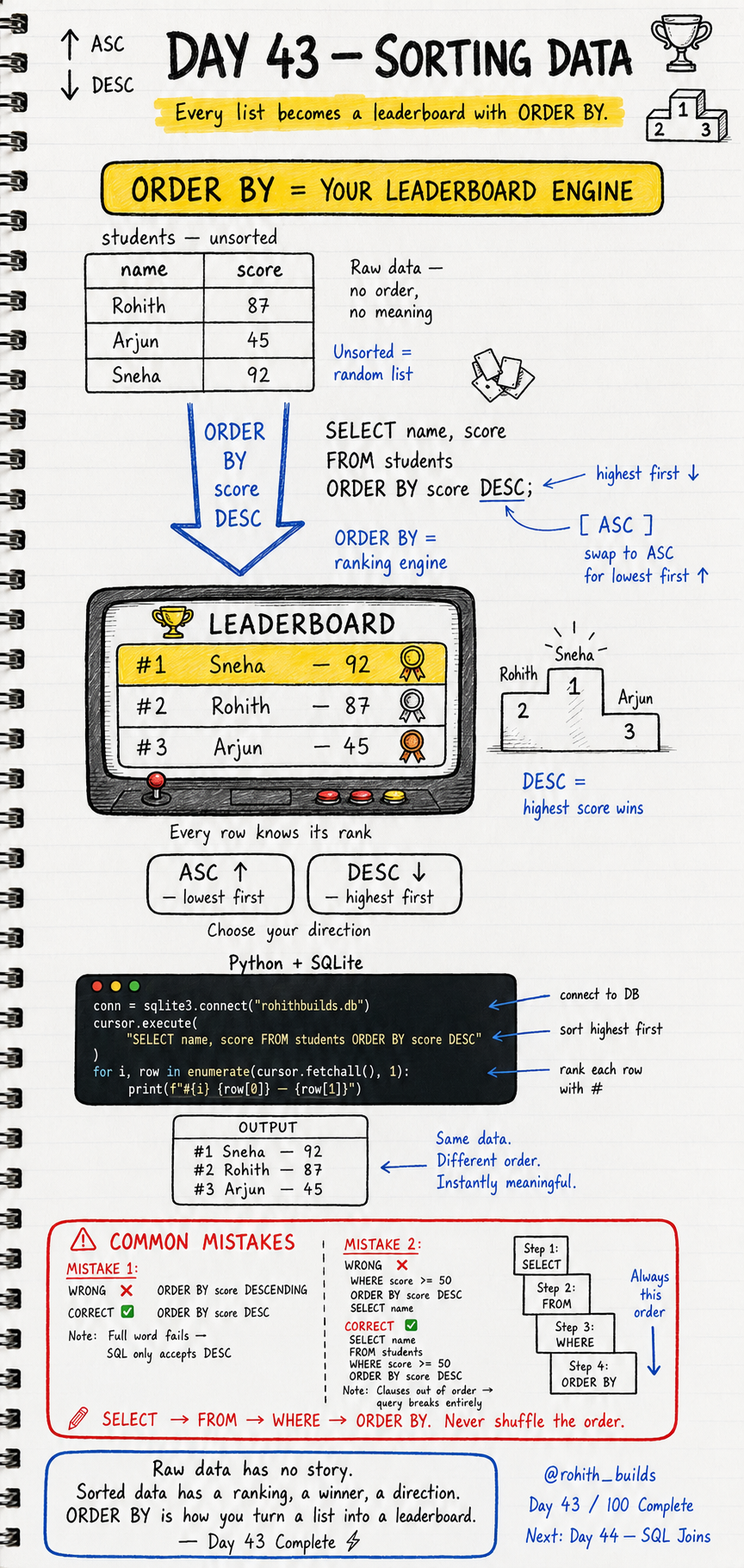
Day 43: Sorting Data — Turn Any List Into a Leaderboard!
Why Sorting Matters
Raw data has no story. A random list of scores means nothing. But sort them highest first and suddenly you have a leaderboard — a winner, a ranking, a direction. ORDER BY is the engine that turns meaningless rows into meaningful results. Every game leaderboard, every top chart, every ranked list you've ever seen is ORDER BY working behind the scenes!
ORDER BY — Your Ranking Engine
import sqlite3

conn = sqlite3.connect("rohithbuilds.db")
cursor = conn.cursor()

cursor.execute("SELECT name, score FROM students ORDER BY score DESC")
for i, row in enumerate(cursor.fetchall(), 1):
    print(f"#{i} {row[0]} - {row[1]}")
Output: #1 Sneha 92, #2 Rohith 87, #3 Arjun 45. Same data as before. Different order. Instantly meaningful. enumerate(results, 1) adds the rank number starting from 1. One query turned a random list into a proper leaderboard!
ASC vs DESC
-- DESC = highest first (leaderboards, top scores, newest first)
SELECT name, score FROM students ORDER BY score DESC

-- ASC = lowest first (default, cheapest first, oldest first)
SELECT name, score FROM students ORDER BY score ASC
DESC = highest wins. Use for leaderboards, top products, newest messages. ASC = lowest first. Use for cheapest prices, earliest dates, smallest values. Default is ASC so always add DESC when you want highest first!
Combine WHERE and ORDER BY
cursor.execute(
    "SELECT name, score FROM students WHERE score >= 50 ORDER BY score DESC"
)
for i, row in enumerate(cursor.fetchall(), 1):
    print(f"#{i} {row[0]} - {row[1]}")
Filter first with WHERE, then sort with ORDER BY. Only passing students ranked highest first. This is exactly how PUBG shows the top 100 players — filter alive players, sort by kills descending!
Real World Connection
Spotify top charts — SELECT song, streams FROM tracks ORDER BY streams DESC LIMIT 50. Amazon best sellers — SELECT name, sales FROM products ORDER BY sales DESC. YouTube trending — SELECT title, views FROM videos ORDER BY views DESC LIMIT 20. Swiggy top rated — SELECT name, rating FROM restaurants ORDER BY rating DESC. Every ranked list in every app is ORDER BY!
Common Mistakes
Mistake 1 — Using full word instead of DESC.
ORDER BY score DESCENDING   -- WRONG — SQL only accepts DESC!
ORDER BY score DESC         -- CORRECT
Mistake 2 — Wrong clause order.
-- WRONG — clauses out of order, query breaks!
WHERE score >= 50
ORDER BY score DESC
SELECT name

-- CORRECT — always this order!
SELECT name
FROM students
WHERE score >= 50
ORDER BY score DESC
Mini Challenge
Mini Challenge
Insert 5 students with different scores. Print a full leaderboard with rank numbers using ORDER BY DESC. Then print a separate list of only failed students sorted lowest score first using WHERE and ORDER BY ASC. You just built both a winner board and a recovery list — exactly what every real education app shows teachers!
Quick Quiz
Q: Which direction does ORDER BY use by default? A: ASC — lowest first. Always add DESC for highest first!
Q: What's the correct clause order in a full SQL query? A: SELECT, FROM, WHERE, ORDER BY — never shuffle this order!
Q: How do you add rank numbers to your results in Python? A: Use enumerate(cursor.fetchall(), 1) — starts counting from 1!
Key Takeaways
Key Takeaways
- ORDER BY sorts your results. DESC = highest first. ASC = lowest first (default).
- Always write DESC explicitly — never assume the default is what you want.
- Clause order is fixed — SELECT, FROM, WHERE, ORDER BY. Never shuffle it.
- Use enumerate() in Python to add rank numbers to sorted results.
- Every leaderboard, chart and ranked list in every app is ORDER BY in action!
Continue Learning with Rohi
You've used your 3 free Rohi questions. Create a free account to continue learning.