Nested Data 📦🔗🏠
Data inside data! Like a house with rooms with cupboards — access anything layer by layer!
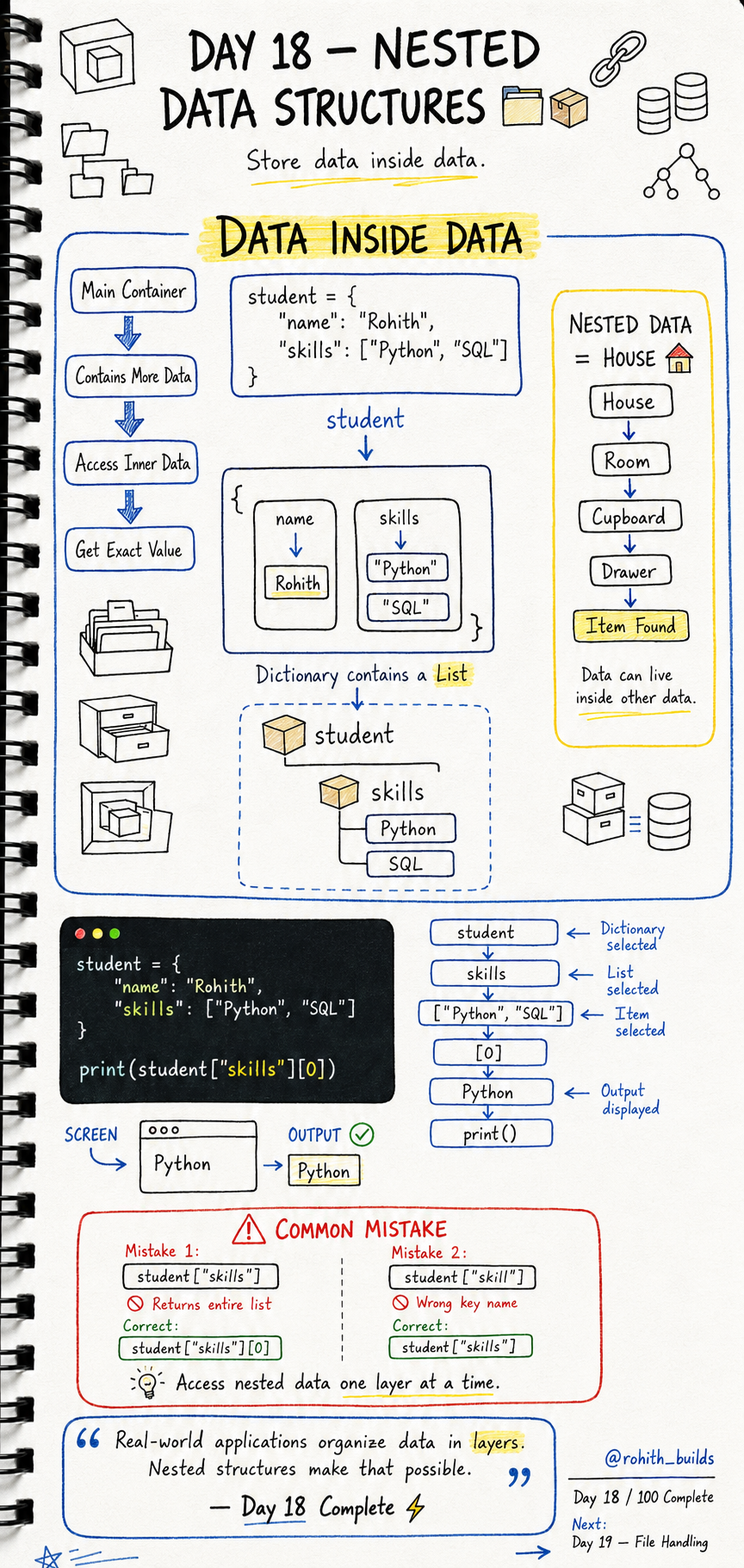
Day 18: Nested Data Structures — Data Inside Data!
What's Nested Data?
Think of your house. House has rooms. Rooms have cupboards. Cupboards have drawers. Drawers have items. You go layer by layer to find what you need. Nested data works exactly the same — a dictionary can contain a list, which can contain more data, all stacked inside each other!
Dictionary Containing a List
student = {
    "name": "Rohith",
    "skills": ["Python", "SQL"]
}
student is a dictionary. Inside it, "skills" holds a list. One structure living inside another!
Accessing Nested Data
print(student["name"])         # Rohith
print(student["skills"])       # ['Python', 'SQL']
print(student["skills"][0])    # Python
print(student["skills"][1])    # SQL
Go one layer at a time! First ["skills"] gets the list. Then [0] gets the first item in that list. Like going House → Room → Cupboard → Item!
Real World Connection
Your Instagram profile is nested data — profile dictionary contains a list of posts, each post contains a list of comments, each comment contains a username and text. When Swiggy shows your order, it's a dictionary with your items list, each item having its own name and price. All of it is nested!
List of Dictionaries
students = [
    {"name": "Rohith", "age": 21},
    {"name": "Priya", "age": 20},
    {"name": "Sam", "age": 22}
]

for student in students:
print(student["name"])
Output: Rohith, Priya, Sam. A list of dictionaries — this is exactly how apps store multiple users, multiple products or multiple posts!
Common Mistakes
Mistake 1 — Stopping too early.
print(student["skills"])      # gets whole list — ['Python', 'SQL']
print(student["skills"][0])   # gets first item — Python
Mistake 2 — Wrong key name.
student["skill"]    # WRONG — key is "skills" not "skill"!
student["skills"]   # CORRECT
Mini Challenge
Mini Challenge
Create a dictionary for yourself with name, age and a list of 3 hobbies. Print your name. Print your first hobby using ["hobbies"][0]. Then loop through all hobbies and print each one. You just built your own profile system like every social media app uses!
Quick Quiz
Q: How do you get "Python" from student = {"skills": ["Python", "SQL"]}? A: student["skills"][0] — first the key, then the position!
Q: What is a list of dictionaries useful for? A: Storing multiple similar items — users, products, posts!
Q: What's the rule for accessing nested data? A: One layer at a time — go step by step!
Key Takeaways
Key Takeaways
- Nested data means storing data inside other data structures.
- A dictionary can contain lists. A list can contain dictionaries.
- Access nested data one layer at a time — ["key"][index].
- A list of dictionaries is how apps store multiple users or products.
- Every real app organises data in layers — nested structures make that possible!
Continue Learning with Rohi
You've used your 3 free Rohi questions. Create a free account to continue learning.