Sets 🎯🔄⭐
Sets automatically remove duplicates. Only unique values survive — like a VIP guest list with no repeats!
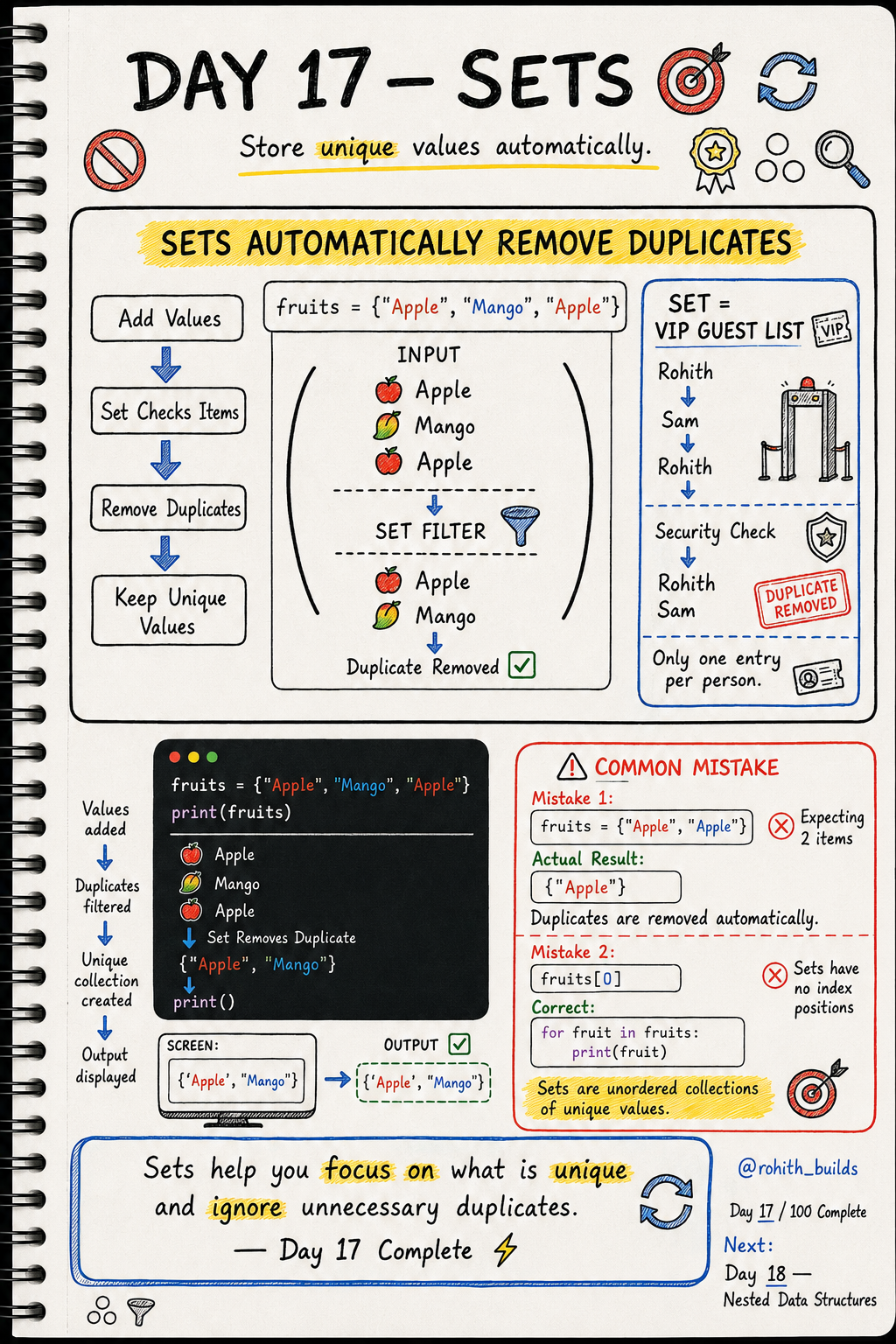
Day 17: Sets — No Duplicates Allowed!
What's a Set?
Imagine a VIP guest list at a party. Rohith tries to enter twice — security spots it and removes the duplicate. Only one Rohith gets in! That's exactly how a set works. Add the same item twice and it automatically keeps only one copy!
Creating a Set
fruits = {"Apple", "Mango", "Apple"}
print(fruits)
Output: {'Apple', 'Mango'}. You added Apple twice but the set kept only one. Duplicates removed automatically — no extra code needed!
Real World Connection
Instagram counts unique viewers on a story — if you watch it 10 times, you're still counted once. Spotify tracks unique songs in your library — no duplicates. Online exams track unique students who attempted — sets do this automatically!
Adding and Removing
users = {"Priya", "Sam", "Rohith"}

users.add("Arjun")      # add new user
users.remove("Sam")     # remove a user

print(users)
Output: {'Priya', 'Rohith', 'Arjun'}. add() and remove() work just like lists. But try adding "Priya" again — it won't duplicate!
Looping Through a Set
fruits = {"Apple", "Mango", "Banana"}

for fruit in fruits:
    print(fruit)
Works just like looping a list! But notice — sets have no fixed order. Items may print in any order each time. That's fine when you just need every unique item!
Common Mistakes
Mistake 1 — Expecting duplicates to stay.
fruits = {"Apple", "Apple", "Mango"}
print(fruits)   # {'Apple', 'Mango'} — one Apple only!
Mistake 2 — Using index positions like a list.
fruits[0]              # WRONG — sets have no positions!

for fruit in fruits:
    print(fruit)       # CORRECT — loop through instead!
Mini Challenge
Mini Challenge
Create a list of visitors with some duplicate names. Convert it to a set and print it. Watch the duplicates vanish! Hint: set(["Rohith", "Priya", "Rohith", "Sam"]). You just built a unique visitor tracker like Instagram uses!
Quick Quiz
Q: I add "Mango" to a set that already has "Mango". How many Mangos are in the set? A: Just one! Sets never keep duplicates.
Q: Can you access a set item using fruits[0]? A: No! Sets have no positions. Use a loop instead.
Q: List, Tuple or Set — which one removes duplicates automatically? A: Set!
Key Takeaways
Key Takeaways
- Sets store only unique values — duplicates are removed automatically.
- Use curly brackets { } to create a set.
- add() adds items. remove() deletes items.
- Sets have no index positions — use a loop to access items.
- Use sets when you only care about unique values, not order!
Continue Learning with Rohi
You've used your 3 free Rohi questions. Create a free account to continue learning.