JSON Data Format 🌍📋🔄
JSON is the universal language every system understands. Like a passport — same format, accepted everywhere!
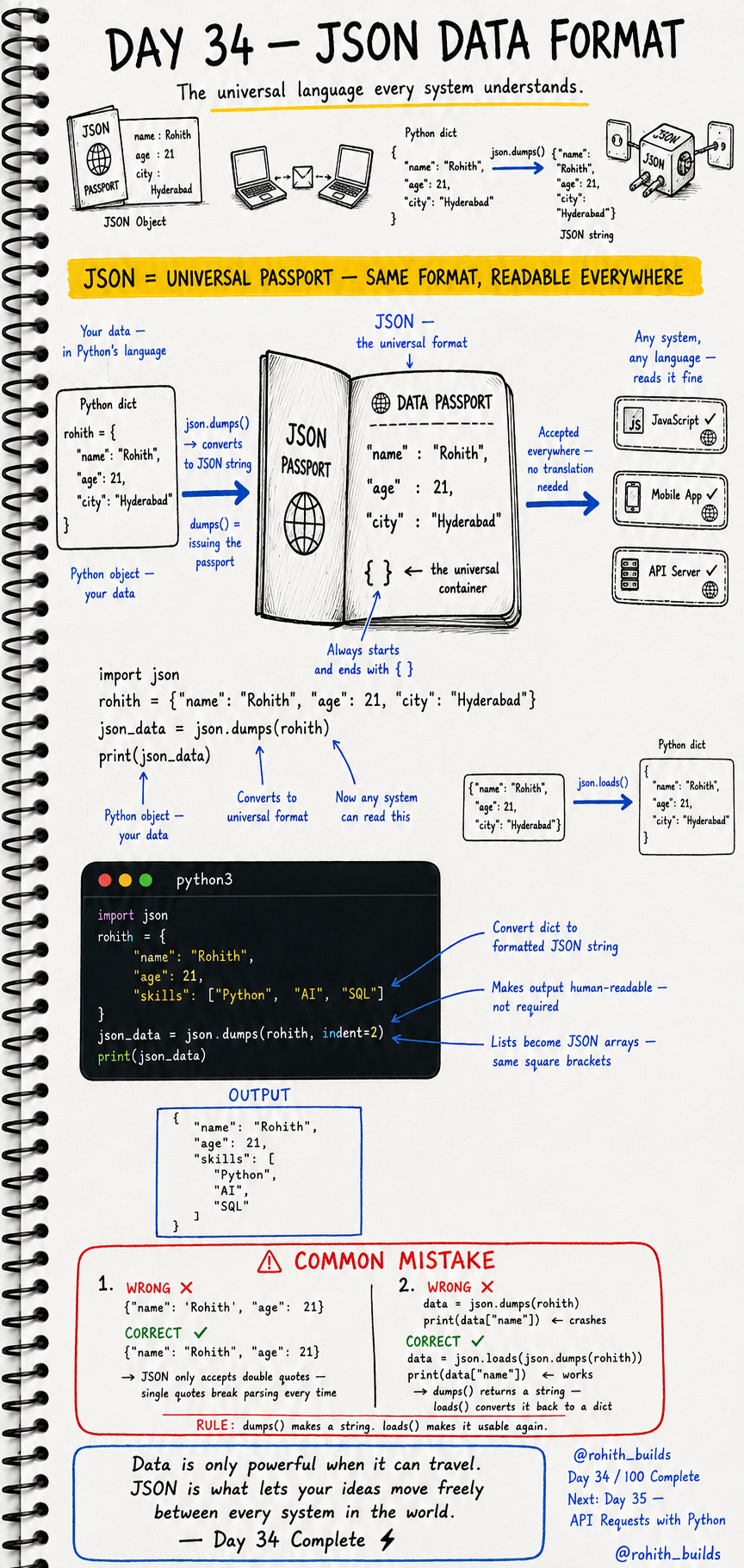
Day 34: JSON — The Universal Language of Data!
What's JSON?
Imagine a passport. Whether you're in India, Japan or Brazil, a passport is always the same format — everyone accepts it. JSON works exactly like that for data! Python, JavaScript, mobile apps, servers — they all speak different languages. But they all understand JSON. It's the universal passport that lets data travel between any system in the world!
Python Dict to JSON
import json

rohith = {
    "name": "Rohith",
    "age": 21,
    "skills": ["Python", "AI", "SQL"]
}

json_data = json.dumps(rohith, indent=2)
print(json_data)
json.dumps() converts your Python dictionary into a JSON string. indent=2 makes it human-readable with nice spacing. Now any system — JavaScript, mobile app, API server — can read this data perfectly!
JSON Back to Python
import json

json_string = '{"name": "Rohith", "age": 21}'

data = json.loads(json_string)
print(data["name"])   # Rohith
print(data["age"])    # 21
json.loads() converts JSON string back into a Python dictionary you can work with. dumps() makes a string. loads() makes it usable again. These two are your JSON superpowers!
Real World Connection
When Instagram's app loads your profile, the server sends back JSON — name, followers, posts all in one package. When you search on Swiggy, the server returns restaurant data as JSON. When your weather app shows temperature, it received JSON from a weather API. Every API response you've ever used was JSON. Now you know how to read and create it!
Common Mistakes
Mistake 1 — Using single quotes in JSON.
{"name": 'Rohith'}   # WRONG — JSON needs double quotes only!
{"name": "Rohith"}   # CORRECT
Mistake 2 — Treating json.dumps() output like a dict.
data = json.dumps(rohith)
print(data["name"])          # WRONG — data is a string now!

data = json.loads(json.dumps(rohith))
print(data["name"])          # CORRECT — loads() makes it a dict again!
Mini Challenge
Mini Challenge
Create a Python dictionary for your profile with name, age, city and a list of hobbies. Convert it to JSON using dumps() and print it. Then convert it back to a dict using loads() and print just your name. You just built the same data serialisation system every API in the world uses!
Quick Quiz
Q: What does json.dumps() do? A: Converts a Python dictionary into a JSON string!
Q: What does json.loads() do? A: Converts a JSON string back into a Python dictionary!
Q: JSON uses single or double quotes? A: Always double quotes — single quotes will break it!
Key Takeaways
Key Takeaways
- JSON is the universal data format — every system and language understands it.
- json.dumps() converts Python dict to JSON string.
- json.loads() converts JSON string back to Python dict.
- JSON always uses double quotes — never single quotes.
- Every API response in the world is JSON — now you can read and create it!
Continue Learning with Rohi
You've used your 3 free Rohi questions. Create a free account to continue learning.