File Handling 📁💾📝
Save data permanently so it survives after your program closes. Like writing in a notebook you can read anytime!
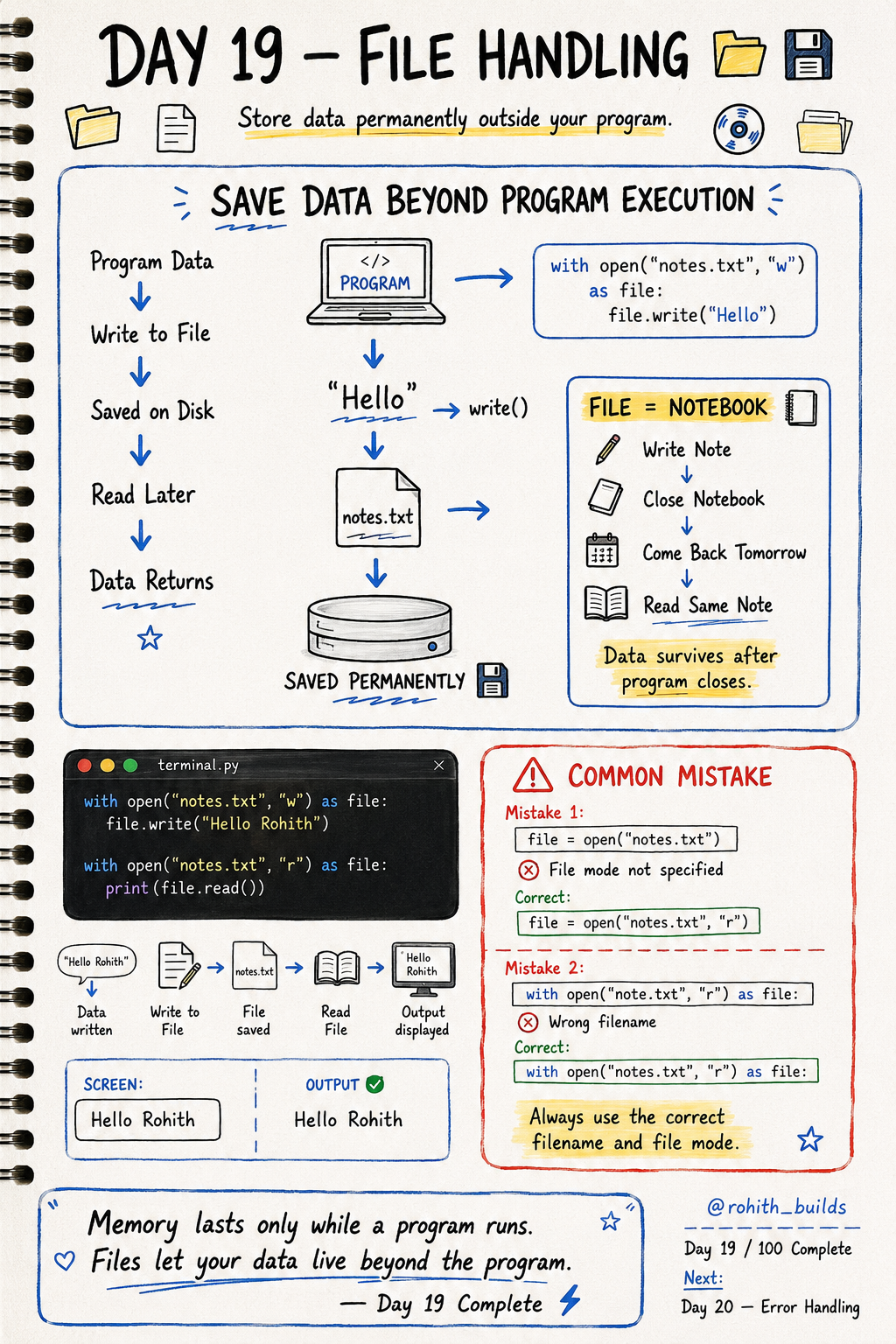
Day 19: File Handling — Save Data Forever!
The Problem Without Files
Every variable you create disappears when your program closes. Restart the program and everything is gone! Imagine if WhatsApp deleted all your messages every time you closed the app. Files solve this — they save data permanently on your device so it survives forever!
Writing to a File
with open("notes.txt", "w") as file:
    file.write("Hello Rohith")
open() opens the file. "notes.txt" is the filename. "w" means write mode — create and write. file.write() puts text inside. After this runs, notes.txt exists on your computer with "Hello Rohith" inside — permanently!
Reading From a File
with open("notes.txt", "r") as file:
    print(file.read())
"r" means read mode. file.read() gets everything inside. Output: Hello Rohith. Close the program, reopen it, run this again — still says Hello Rohith. That's permanent storage!
The Three File Modes
open("file.txt", "w")   # write — creates file, overwrites existing
open("file.txt", "r")   # read  — reads existing file
open("file.txt", "a")   # append — adds to end without deleting
"w" is dangerous — it deletes old content and starts fresh. "a" is safer when you want to keep adding new data like a diary!
Real World Connection
Your WhatsApp messages are saved to files on your phone — that's why they're there next time you open it. Your game progress is saved to a file — that's how you continue where you left off. Every app that remembers anything uses file handling or a database built on the same idea!
Appending New Data
with open("diary.txt", "a") as file:
    file.write("Today I learned file handling!\n")

with open("diary.txt", "r") as file:
print(file.read())
Run this 3 days in a row and your diary grows! The \n adds a new line after each entry. "a" mode never deletes — just adds to the end!
Common Mistakes
Mistake 1 — Not specifying the file mode.
open("notes.txt")        # WRONG — always specify mode!
open("notes.txt", "r")   # CORRECT
Mistake 2 — Wrong filename when reading.
open("note.txt", "r")    # WRONG — file is called notes.txt!
open("notes.txt", "r")   # CORRECT — exact name matters!
Mini Challenge
Mini Challenge
Write your name and favourite app to a file called "profile.txt". Close the program. Then write new code to read and print the file. See your data survived! You just built permanent data storage like every real app uses!
Quick Quiz
Q: Which mode overwrites existing file content? A: "w" — write mode. Dangerous! Use "a" to keep old data.
Q: Which mode adds new content without deleting old content? A: "a" — append mode!
Q: Why use files instead of just variables? A: Variables disappear when the program closes. Files stay forever!
Key Takeaways
Key Takeaways
- Files save data permanently — it survives after the program closes.
- "w" writes and overwrites. "r" reads. "a" appends without deleting.
- Always use "with open()" — it closes the file safely after you're done.
- Always use the exact filename and correct mode or you'll get an error.
- Every app that remembers your data is using file handling or a database!
Continue Learning with Rohi
You've used your 3 free Rohi questions. Create a free account to continue learning.