List Operations 📋✏️⚡
Lists can grow, shrink and change. Add, remove and update items just like a shopping cart!
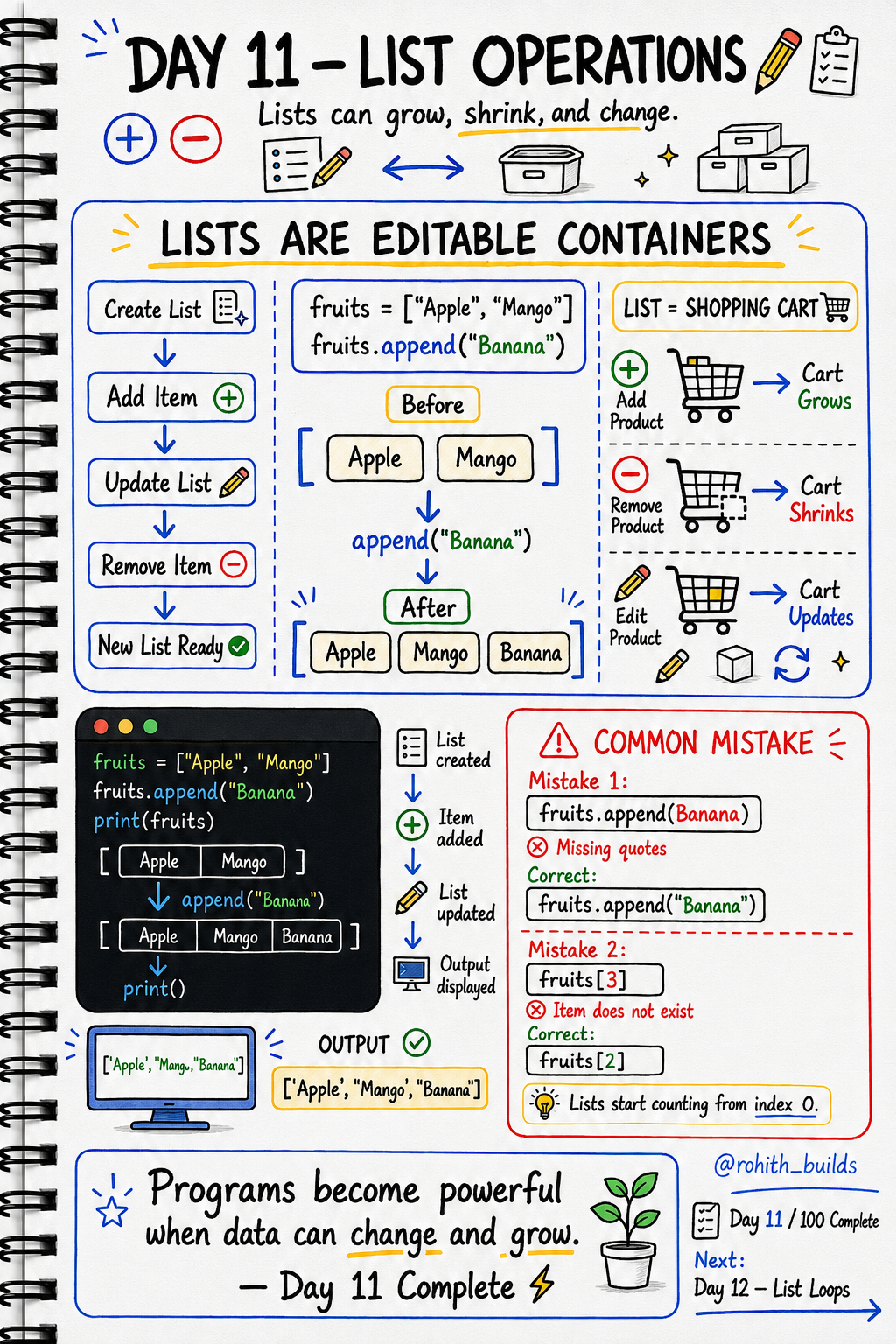
Day 11: List Operations — Lists That Change!
Lists Are Like Shopping Carts
When you shop on Amazon, you add items, remove items, and change quantities. Your cart grows and shrinks. A list works exactly the same way — it's not fixed, it can change anytime!
Add Items — append()
fruits = ["Apple", "Mango"]
fruits.append("Banana")
print(fruits)
Output: ['Apple', 'Mango', 'Banana']. append() adds to the end of the list. Just like adding a new item to your Swiggy order!
Remove Items — remove()
fruits = ["Apple", "Mango", "Banana"]
fruits.remove("Mango")
print(fruits)
Output: ['Apple', 'Banana']. Mango is gone! Just like removing an item from your cart before checkout.
Update Items
fruits = ["Apple", "Mango", "Banana"]
fruits[1] = "Grapes"
print(fruits)
Output: ['Apple', 'Grapes', 'Banana']. Position 1 was Mango, now it's Grapes. Like editing your delivery address on Zomato!
All Operations Together
cart = ["Burger", "Fries"]

cart.append("Coke")
cart.remove("Fries")
cart[0] = "Pizza"

print(cart)
print(len(cart))
Output: ['Pizza', 'Coke'] and 2. You just built a working shopping cart in 5 lines!
Common Mistakes
Mistake 1 — Forgetting quotes when appending text.
fruits.append(Banana)
fruits.append("Banana")
Mistake 2 — Using wrong index position.
fruits = ["Apple", "Mango", "Banana"]
print(fruits[3])
print(fruits[2])
Mini Challenge
Mini Challenge
Create a playlist with 3 songs. Add a 4th song using append(). Remove the first song using remove(). Change the second song to a different one. Print the final playlist. You just built a music app feature!
Quick Quiz
Q: How do you add "Mango" to a list called fruits? A: fruits.append("Mango")
Q: How do you remove "Fries" from a list called cart? A: cart.remove("Fries")
Q: How do you change the first item in a list? A: listname[0] = "new value"
Key Takeaways
Key Takeaways
- append() adds a new item to the end of a list.
- remove() deletes a specific item from a list.
- listname[index] = "value" updates an item at that position.
- Lists start counting from 0 — always!
- Every cart, playlist and feed in every app uses these exact operations!
Continue Learning with Rohi
You've used your 3 free Rohi questions. Create a free account to continue learning.