Lists 📋📦🚂
One variable that stores many values. Like a train with many compartments!
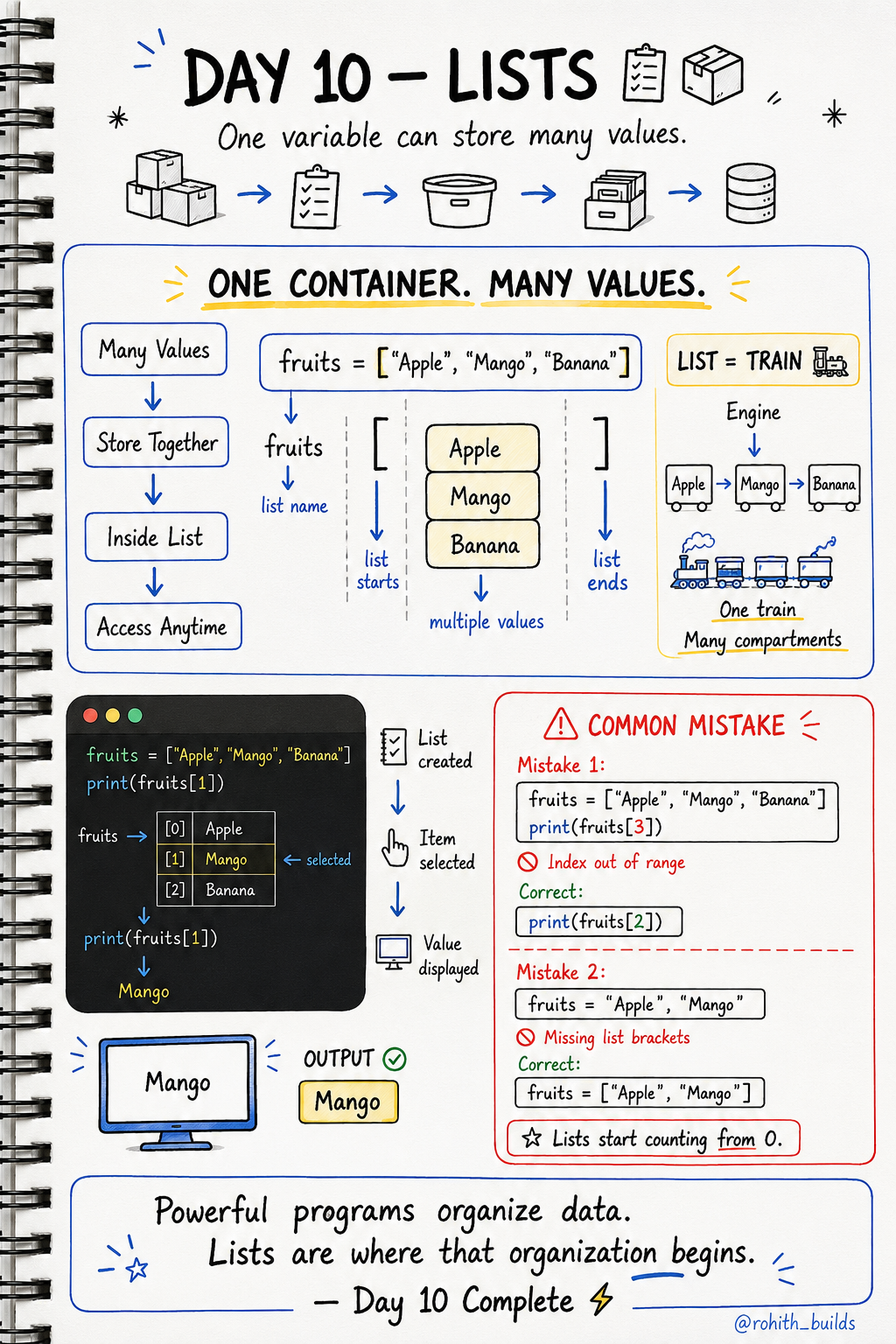
Day 10: Lists — One Box, Many Things!
What's a List?
So far variables store one thing. name = "Rohith". But what if you have 100 students? You can't make 100 variables! A list is like a train — one train, many compartments. One variable, many values!
Creating a List
fruits = ["Apple", "Mango", "Banana"]
Square brackets [ ] hold the list. Commas separate each item. That's it!
Getting Items From a List
fruits = ["Apple", "Mango", "Banana"]

print(fruits[0])
print(fruits[1])
print(fruits[2])
The number inside [ ] is the position. But remember — lists start counting from 0, not 1! Apple is at position 0, Mango is at 1, Banana is at 2.
Real World Connection
Your Instagram feed is a list of posts. Your WhatsApp contacts is a list of names. Your Swiggy cart is a list of food items. Every collection of things in every app is stored as a list!
Useful List Actions
friends = ["Priya", "Sam", "Arjun"]

friends.append("Rohith")
print(len(friends))
print(friends[0])
append() adds a new item. len() counts how many items. Just like adding a new contact on WhatsApp!
Loop Through a List
fruits = ["Apple", "Mango", "Banana"]

for fruit in fruits:
    print(fruit)
This prints every item automatically. Instagram uses this exact pattern to show every post in your feed!
Common Mistakes
Mistake 1 — Going out of range.
fruits = ["Apple", "Mango", "Banana"]
print(fruits[3])
print(fruits[2])
Mistake 2 — Forgetting the square brackets.
fruits = "Apple", "Mango"
fruits = ["Apple", "Mango"]
Mini Challenge
Mini Challenge
Create a list of your 3 favourite games. Print the first one using [0]. Then add a 4th game using append(). Then loop through the whole list and print every game. You just built a game library!
Quick Quiz
Q: I have a list of 3 items. What's the last item's position? A: Position 2! Lists start from 0, so 3 items = positions 0, 1, 2.
Q: How do you add a new item to a list? A: listname.append("new item")
Q: How do you count how many items are in a list? A: len(listname)
Key Takeaways
Key Takeaways
- Lists store many values in one variable using square brackets [ ].
- Lists count from 0 — first item is [0], second is [1].
- append() adds items. len() counts items.
- Loop through a list to access every item automatically.
- Every collection in every app — feeds, carts, contacts — is a list!
Continue Learning with Rohi
You've used your 3 free Rohi questions. Create a free account to continue learning.