Inputs & Outputs 📥📤⚙️
Make functions smarter by sending data in and getting results back. This is how functions become truly powerful!
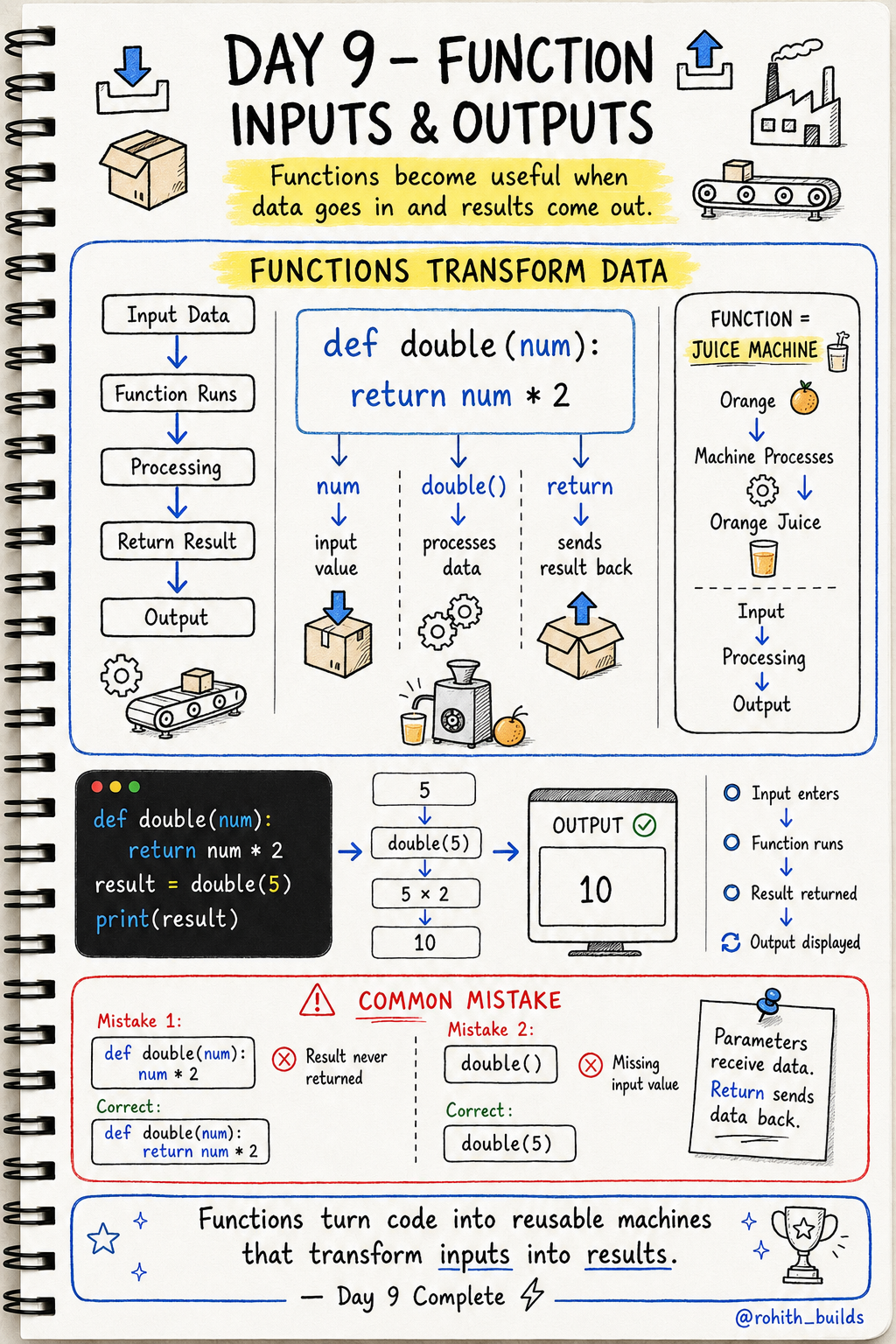
Day 9: Function Inputs & Outputs — Smarter Functions!
The Problem With Yesterday's Functions
Yesterday's greet() always said "Hello Rohith." What if you want to greet different people? You'd need a different function for every person. That's crazy! Today we make functions that work with any data you give them.
Sending Data IN — Parameters
def greet(name):
    print("Hello", name)

greet("Priya")
greet("Sam")
greet("Rohith")
name inside the brackets is called a parameter — it's like a slot where you put different values each time. Output: Hello Priya, Hello Sam, Hello Rohith. One function, three different results!
Getting Data OUT — Return
Think of a juice machine. You put in an orange (input), it processes, and gives you juice (output). return sends the result back out of the function!
def double(num):
    return num * 2

result = double(5)
print(result)
You send 5 in. Function doubles it. return sends 10 back out. result stores 10. Output: 10!
Parameters + Return Together
def add(a, b):
    return a + b

answer = add(3, 7)
print(answer)
Send two numbers in. Get the sum back. Output: 10. This is exactly how calculator apps work!
Real World Connection
When Zomato calculates your bill, a function takes your items (input), adds prices (process), and returns the total (output). When Google Maps finds a route, it takes your location and destination (inputs) and returns the fastest path (output). Every useful feature in every app uses parameters and return!
Common Mistakes
Mistake 1 — Forgetting return.
def double(num):
    num * 2         # WRONG — calculated but never sent back!

def double(num):
    return num * 2  # CORRECT — result sent back!
Mistake 2 — Calling without giving a value.
double()    # WRONG — num is missing!
double(5)   # CORRECT
Mini Challenge
Mini Challenge
Build a discount calculator! Create a function that takes a price and returns the price after 10% discount. Test it with prices 100, 500, and 1000. You just built a shopping app feature!
Quick Quiz
Q: What do you put in the brackets when creating a function to receive data? A: A parameter! def greet(name)
Q: How do you send a result back out of a function? A: return! return num * 2
Q: What's the difference between print() and return inside a function? A: print() shows it on screen. return sends it back to whoever called the function!
Key Takeaways
Key Takeaways
- Parameters let you send data INTO a function.
- return sends results back OUT of a function.
- One function can work with any data you give it.
- Without return, the result disappears after the function runs.
- Parameters + return = reusable machines that transform data!
Continue Learning with Rohi
You've used your 3 free Rohi questions. Create a free account to continue learning.