Constructors (**init**) 🏥📋🪪
Give every object an identity the moment it's created. Like filling a registration form automatically at birth!
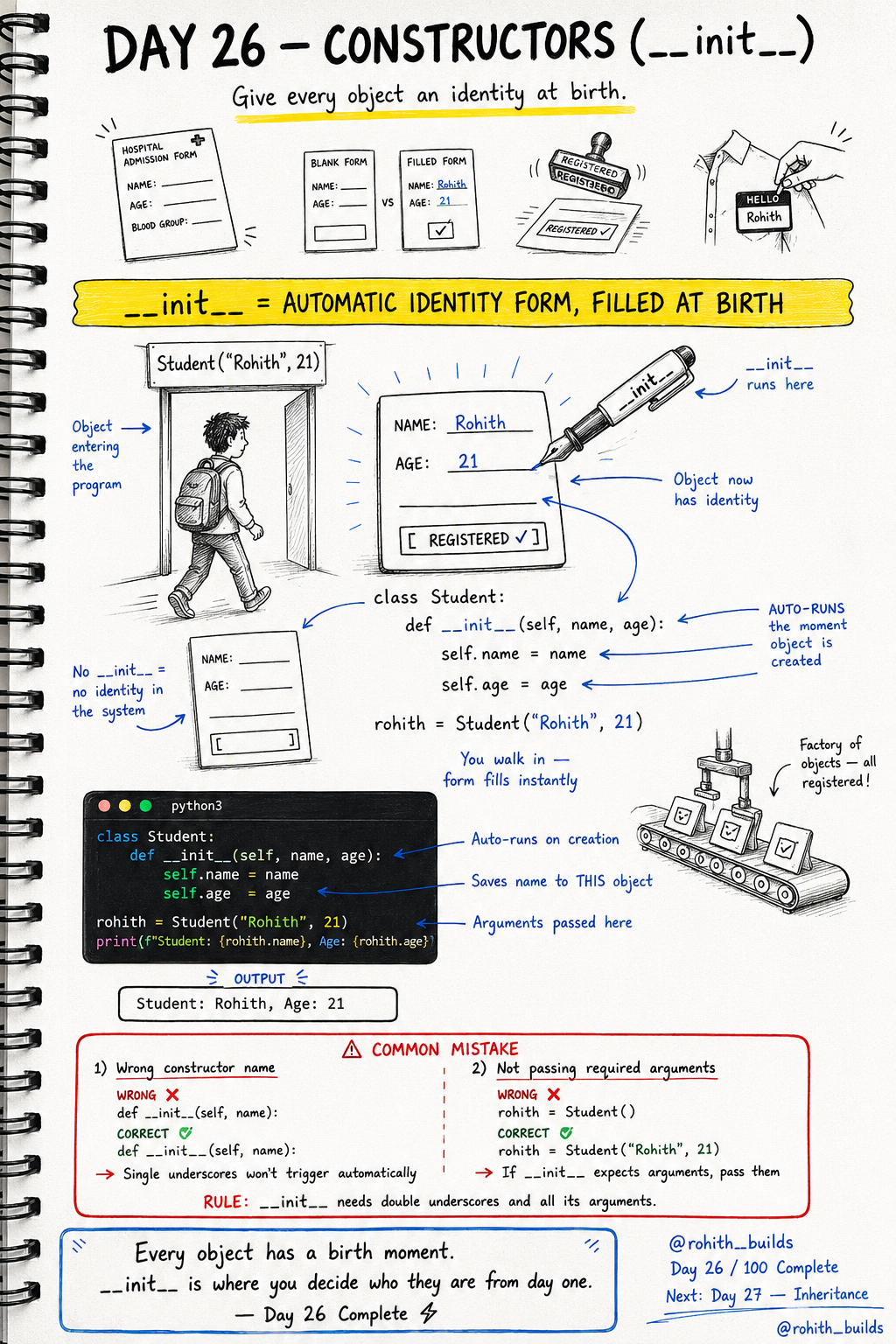
Day 26: Constructors — Every Object Gets an Identity!
What's a Constructor?
When you join a new school, you fill an admission form — name, age, class. The moment you walk in, the form is filled. __init__ works exactly like that! The moment you create an object, __init__ runs automatically and fills in all the details. Every object gets its identity at birth!
Your First Constructor
class Student:
    def __init__(self, name, age):
        self.name = name
        self.age = age

rohith = Student("Rohith", 21)
print(f"Student: {rohith.name}, Age: {rohith.age}")
Output: Student: Rohith, Age: 21. The moment Student("Rohith", 21) runs, __init__ fires automatically. self.name = name saves "Rohith" to THIS specific object. self.age = age saves 21 to THIS specific object!
Each Object Gets Its Own Identity
class Student:
    def __init__(self, name, age):
        self.name = name
        self.age = age

s1 = Student("Rohith", 21)
s2 = Student("Priya", 20)
s3 = Student("Sam", 22)

print(s1.name)   # Rohith
print(s2.name)   # Priya
print(s3.name)   # Sam
Three students, three separate identities. Same blueprint, completely different data. This is exactly how Instagram stores millions of users — one User class, millions of unique objects!
Real World Connection
When you create a new Instagram account, a User object is created and __init__ runs — storing your username, email and password instantly. When you place a Zomato order, an Order object is created and __init__ stores your items, address and payment. Every time you sign up for anything, a constructor is running behind the scenes!
Common Mistakes
Mistake 1 — Wrong constructor name with single underscores.
def _init_(self, name):    # WRONG — won't auto-run!
def __init__(self, name):  # CORRECT — double underscores!
Mistake 2 — Not passing required arguments.
rohith = Student()              # WRONG — name and age missing!
rohith = Student("Rohith", 21)  # CORRECT
Mini Challenge
Mini Challenge
Create a Phone class with a constructor that takes brand, model and price. Create 3 phone objects with different details. Print each phone's details using an f-string. You just built the same product catalogue system that Flipkart and Amazon use!
Quick Quiz
Q: When does __init__ run? A: Automatically the moment an object is created — no need to call it!
Q: What does self mean inside __init__? A: It refers to the specific object being created right now!
Q: Why use __init__ instead of setting properties manually? A: It sets everything up automatically at creation — clean, fast and reliable!
Key Takeaways
Key Takeaways
- __init__ is the constructor — it runs automatically when an object is created.
- self refers to the specific object being built right now.
- self.name = name saves the value to that specific object.
- Always use double underscores — __init__ not _init_.
- Every object gets its own unique identity through the constructor!
Continue Learning with Rohi
You've used your 3 free Rohi questions. Create a free account to continue learning.