Classes & Objects 🏗️🚗🍪
Classes define the idea. Objects bring it to life. One cookie cutter, unlimited cookies!
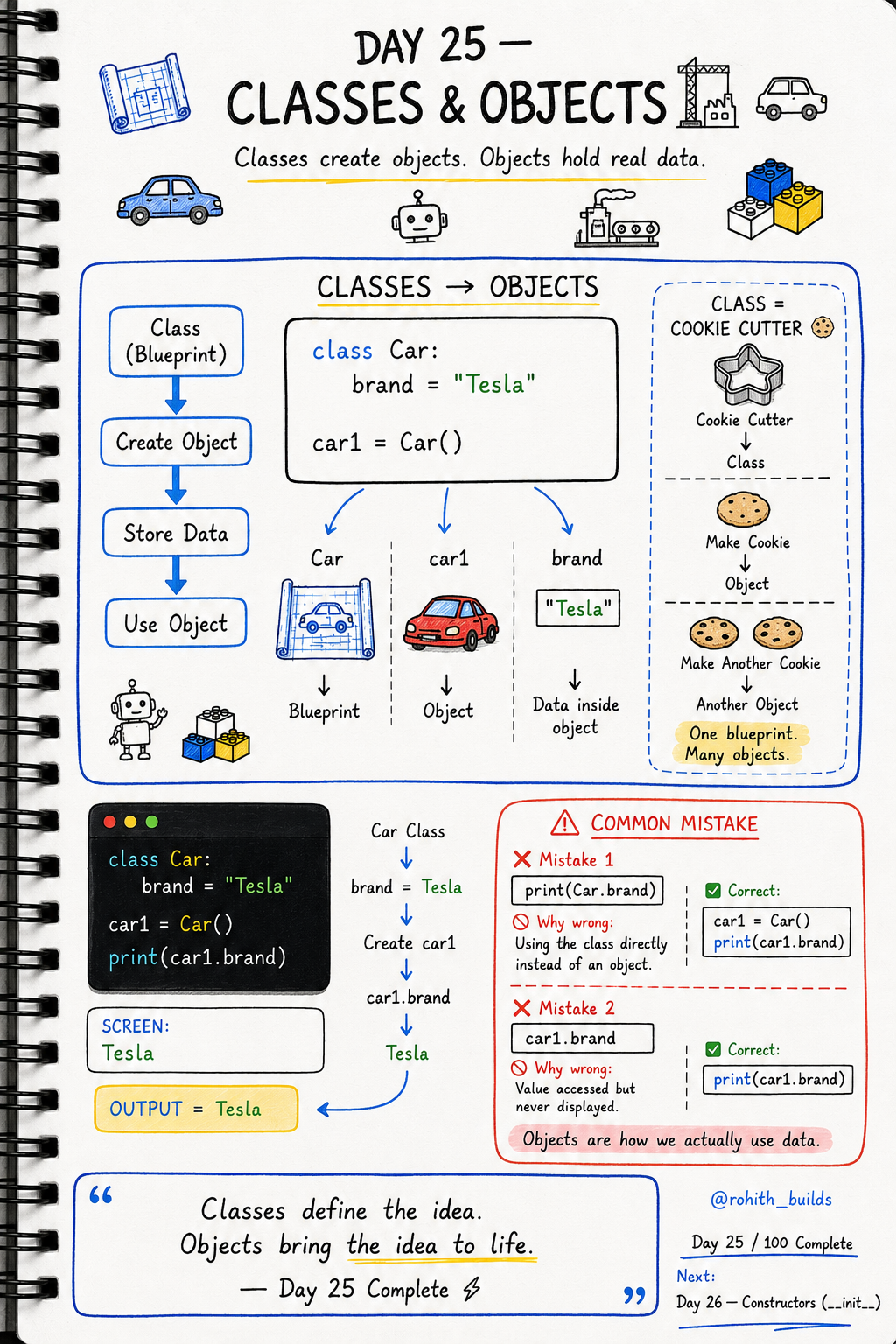
Day 25: Classes & Objects — From Blueprint to Real Thing!
The Cookie Cutter Idea
A cookie cutter is the shape — the blueprint. Every cookie you make with it is an object. Same shape, but each cookie can have different toppings. In Python, the class is the cookie cutter and every object is a cookie made from it. One class, unlimited objects!
Creating a Class and Object
class Car:
    brand = "Tesla"

car1 = Car()
print(car1.brand)
Car is the blueprint. car1 = Car() builds a real object from it. car1.brand accesses the data inside. Output: Tesla. The dot (.) means "go inside this object and get this property"!
Multiple Objects, Same Class
class Car:
    brand = "Tesla"

car1 = Car()
car2 = Car()
car3 = Car()

print(car1.brand)   # Tesla
print(car2.brand)   # Tesla
print(car3.brand)   # Tesla
Three cars, one blueprint. This is how apps work — Instagram creates millions of User objects from one User class. Zomato creates thousands of Order objects from one Order class!
Real World Connection
Every player in PUBG is an object from a Player class — same blueprint, different username and stats. Every product on Flipkart is an object from a Product class — same blueprint, different name and price. Every tweet on Twitter is an object from a Tweet class. Classes and objects are how every real app in the world is built!
Common Mistakes
Mistake 1 — Using the class directly instead of creating an object.
print(Car.brand)     # WRONG — use an object, not the class!

car1 = Car()
print(car1.brand)    # CORRECT
Mistake 2 — Accessing but not printing.
car1.brand           # WRONG — accessed but never shown!
print(car1.brand)    # CORRECT — now it displays!
Mini Challenge
Mini Challenge
Create a Phone class with a brand property set to "Samsung". Create three phone objects and print the brand of each one. Then change the brand to "Apple" inside the class and see all three phones update instantly. You just experienced the power of one blueprint controlling many objects!
Quick Quiz
Q: What's the difference between Car and car1 = Car()? A: Car is the blueprint. car1 is a real object built from it!
Q: How do you access a property inside an object? A: Use the dot — car1.brand!
Q: Can you create 100 objects from one class? A: Absolutely! One blueprint, unlimited objects!
Key Takeaways
Key Takeaways
- A class is the blueprint. An object is the real thing built from it.
- Create objects with objectname = ClassName().
- Access object data with the dot — object.property.
- One class can create unlimited objects — all sharing the same blueprint.
- Always create an object first — never use the class name directly to access data!
Continue Learning with Rohi
You've used your 3 free Rohi questions. Create a free account to continue learning.