Modules & Imports 🧰📥⚙️
Use tools built by others! Import powerful ready-made code instead of writing everything from scratch.
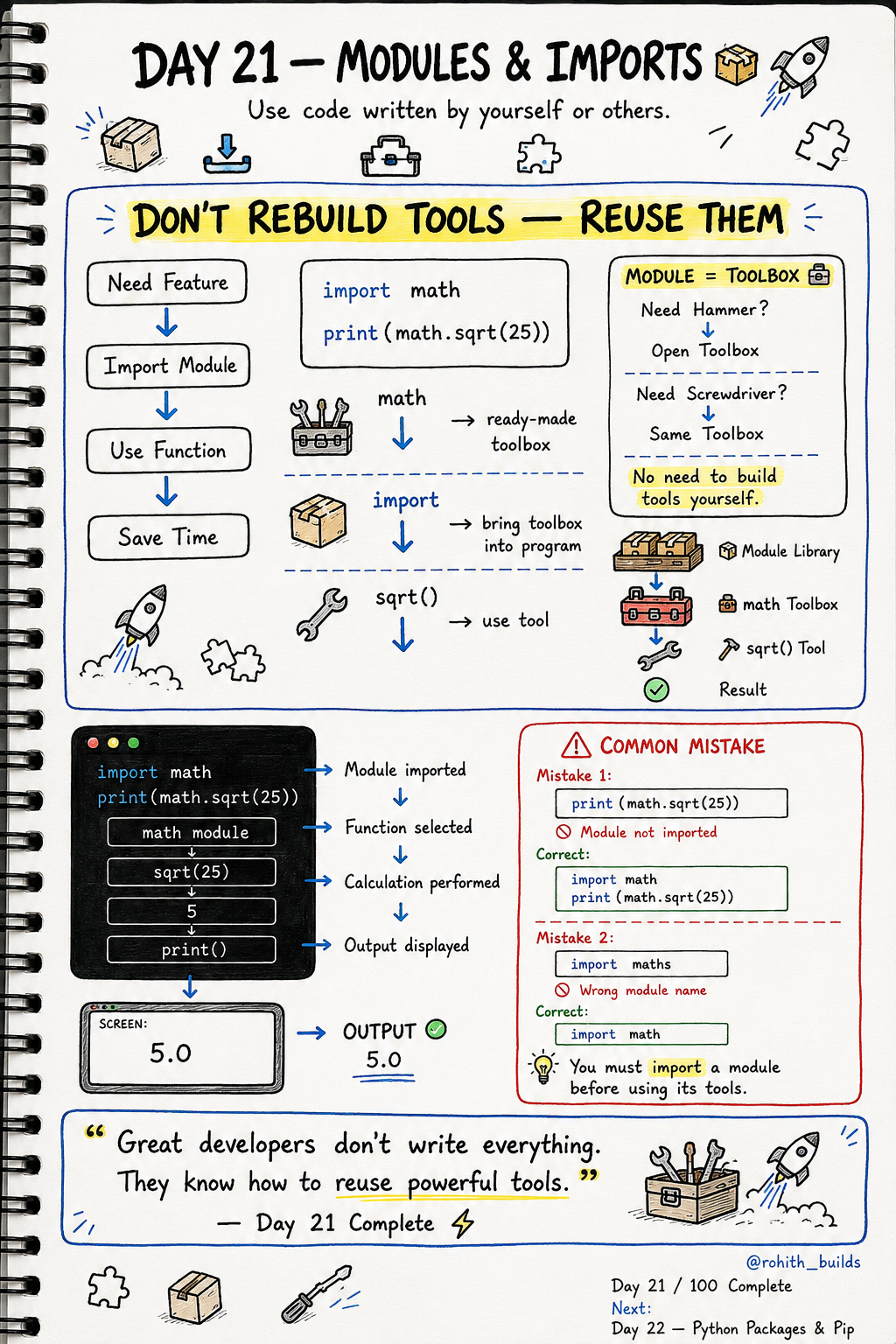
Day 21: Modules & Imports — Use Tools Built by Others!
What's a Module?
Imagine a toolbox. Need a hammer? Open the toolbox and grab it. Need a screwdriver? Same toolbox. You didn't build those tools — you just used them. A module is a toolbox full of ready-made code! Instead of writing everything from scratch, you import the toolbox and use whatever you need.
Your First Import
import math

print(math.sqrt(25))   # 5.0
print(math.pi)         # 3.14159...
import math brings the math toolbox into your program. math.sqrt() calculates square roots. math.pi gives you pi. You didn't write any of that — Python already built it for you!
Real World Connection
When WhatsApp shows your local time, it uses the datetime module. When a weather app gets today's date, it uses datetime. When games generate random numbers for drops or enemy spawns, they use the random module. Every app uses modules — no one builds everything from scratch!
More Useful Modules
import random
import datetime

print(random.randint(1, 10))      # random number 1-10
print(datetime.date.today())      # today's date
random.randint() picks a random number — used in games, OTP generators, shuffle features. datetime.date.today() gets today's date — used in every app that shows timestamps!
Import Just One Tool
from math import sqrt

print(sqrt(16))   # 4.0
from math import sqrt brings just the sqrt tool instead of the whole toolbox. Now you can use sqrt() directly without writing math.sqrt() every time. Cleaner and faster!
Common Mistakes
Mistake 1 — Using a module without importing it first.
print(math.sqrt(25))   # WRONG — math not imported yet!

import math
print(math.sqrt(25))   # CORRECT
Mistake 2 — Wrong module name.
import maths    # WRONG — it's "math" not "maths"!
import math     # CORRECT
Mini Challenge
Mini Challenge
Import the random module. Make a lucky number picker that prints 3 random numbers between 1 and 100. Then import datetime and print today's date. You just built the same tools that lottery apps and calendar apps use!
Quick Quiz
Q: How do you bring the math module into your program? A: import math — always at the top!
Q: How do you generate a random number between 1 and 6 (like a dice)? A: import random then random.randint(1, 6)!
Q: What's the difference between import math and from math import sqrt? A: import math brings everything. from math import sqrt brings just one tool!
Key Takeaways
Key Takeaways
- Modules are toolboxes of ready-made code — import and use instantly.
- import module brings the whole toolbox into your program.
- from module import tool brings just one specific tool.
- Always import at the top of your program before using anything.
- Great developers reuse powerful tools — they don't rebuild everything!
Continue Learning with Rohi
You've used your 3 free Rohi questions. Create a free account to continue learning.