Encapsulation 🔒🏦🛡️
Lock your data, control access! Protect important information and allow access only through approved methods.
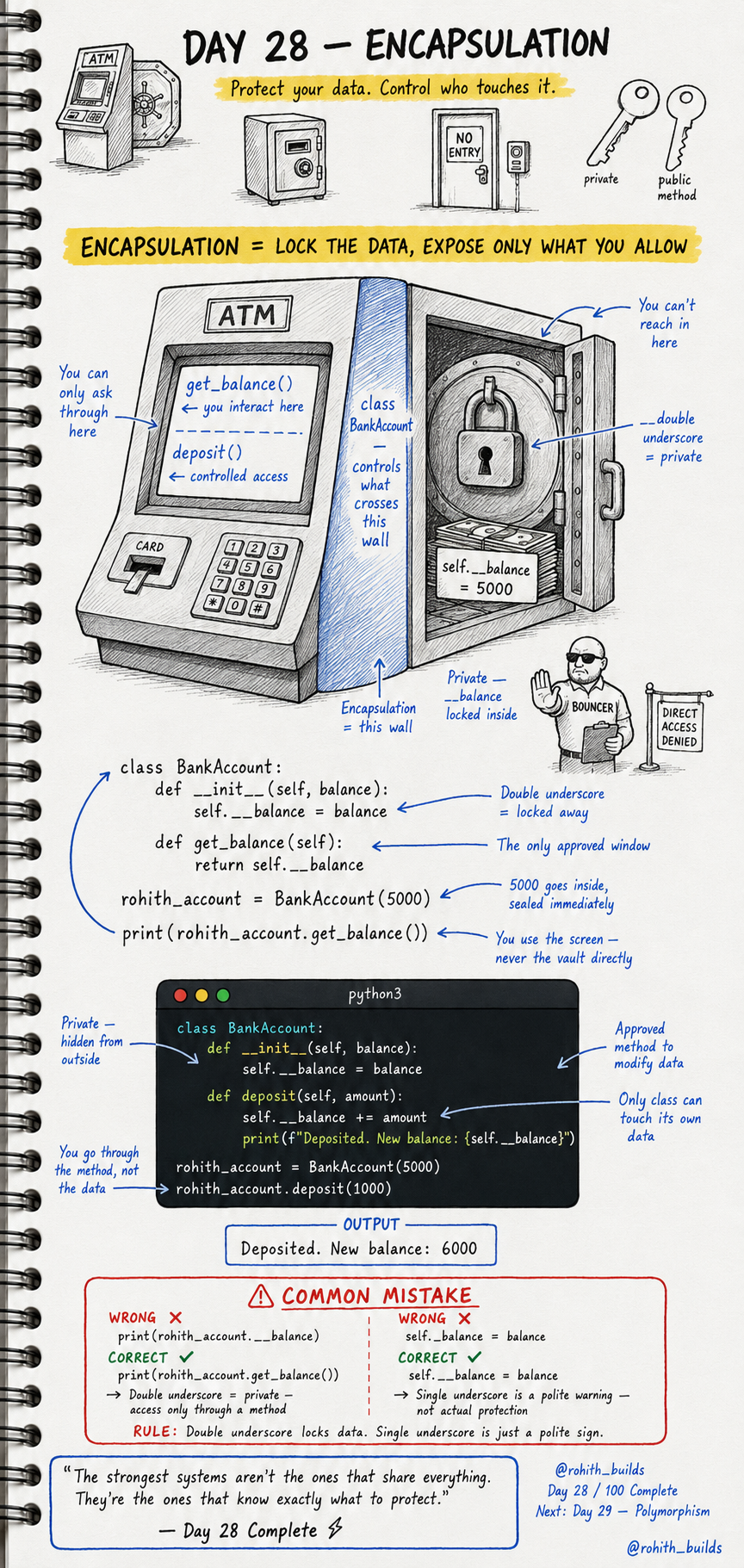
Day 28: Encapsulation — Lock Your Data, Control Access!
What's Encapsulation?
Think of an ATM. Your money is locked inside a vault. You can't reach in and grab it directly. You interact through the screen — check balance, deposit, withdraw. The ATM controls everything. Encapsulation works the same way — lock the data inside, only allow access through approved methods!
Making Data Private
class BankAccount:
    def __init__(self, balance):
        self.__balance = balance    # double underscore = private!

```
def get_balance(self):
    return self.__balance
```

rohith_account = BankAccount(5000)
print(rohith_account.get_balance())   # 5000
print(rohith_account.__balance)       # ERROR — locked!
Double underscore before a variable name makes it private. Nobody outside the class can touch __balance directly. They must go through get_balance() — the approved window!
Controlled Access With Methods
class BankAccount:
    def __init__(self, balance):
        self.__balance = balance

```
def deposit(self, amount):
    self.__balance += amount
    print(f"Deposited. New balance: {self.__balance}")

def get_balance(self):
    return self.__balance
```

rohith_account = BankAccount(5000)
rohith_account.deposit(1000)
Output: Deposited. New balance: 6000. You can't touch __balance directly but deposit() can — because it's inside the class. The class controls its own data. Safe, clean, professional!
Real World Connection
Your PhonePe balance is private — you can't edit it directly, you go through deposit or receive payment methods. Your Instagram password is private — you can't read it directly, only change it through a verified method. Every banking app, every secure system uses encapsulation to protect critical data!
Common Mistakes
Mistake 1 — Accessing private data directly from outside.
print(rohith_account.__balance)        # WRONG — private, locked!
print(rohith_account.get_balance())    # CORRECT — use the method!
Mistake 2 — Using single underscore thinking it's private.
self._balance = balance    # WRONG — single _ is just a polite warning, not locked!
self.__balance = balance   # CORRECT — double __ actually locks it!
Mini Challenge
Mini Challenge
Create a SafeBox class with a private __password. Add a check_password(attempt) method that prints "Access granted!" if the attempt matches and "Wrong password!" if not. Try accessing __password directly and see the error. You just built the same security system every login page uses!
Quick Quiz
Q: How do you make a variable private in Python? A: Double underscore before the name — self.__balance!
Q: Can you access a private variable directly from outside the class? A: No! You must use a method the class provides!
Q: What's the difference between _balance and __balance? A: Single underscore is a polite warning. Double underscore actually locks it!
Key Takeaways
Key Takeaways
- Encapsulation locks data inside a class and controls access through methods.
- Double underscore makes a variable private — self.__balance.
- Private data can only be touched by methods inside the same class.
- Single underscore is just a convention warning. Double underscore actually protects!
- Every secure app — banking, passwords, accounts — uses encapsulation!
Continue Learning with Rohi
You've used your 3 free Rohi questions. Create a free account to continue learning.