Variables 📦🐍⚡
Variables store information for your program.
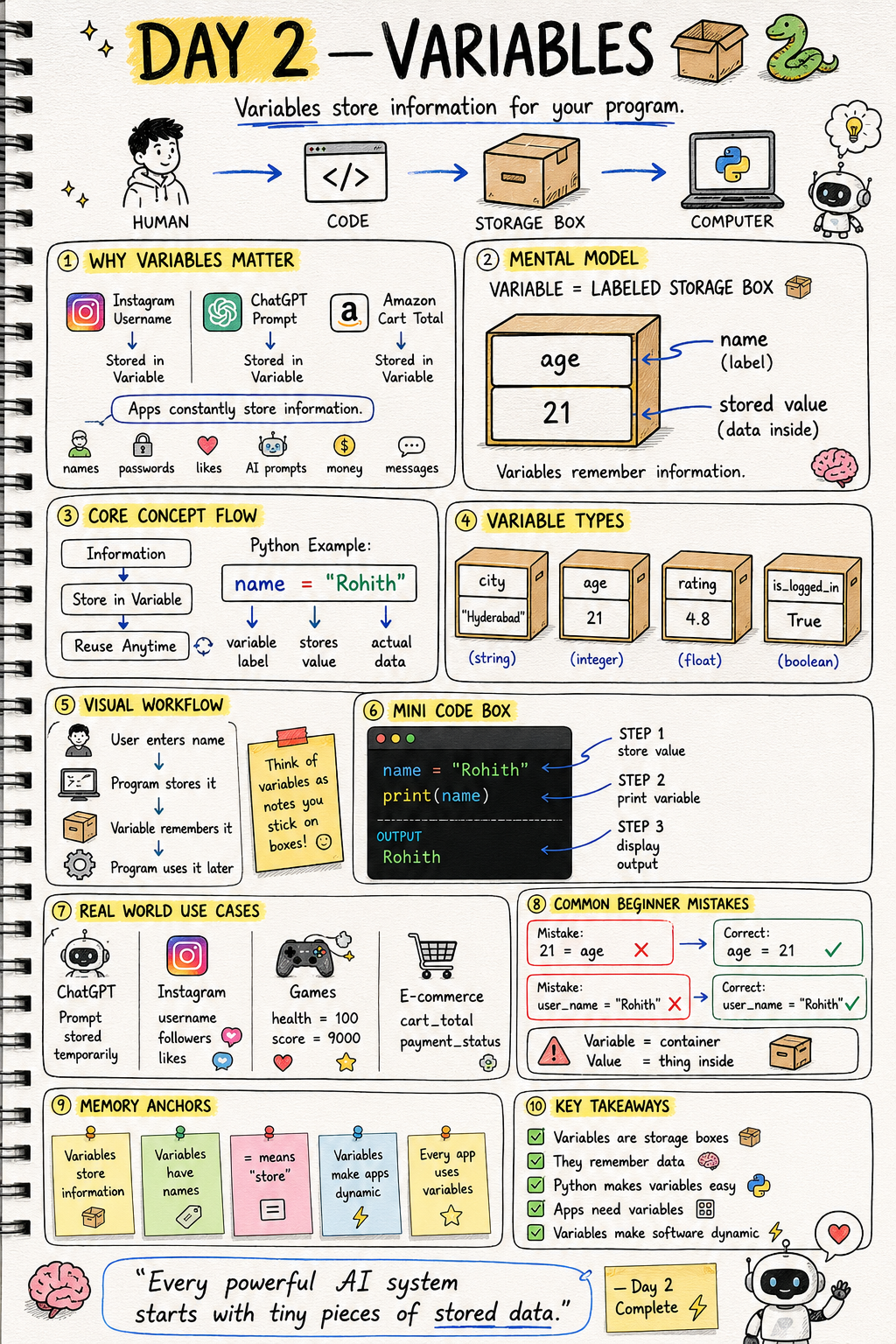
Day 2: Variables — Boxes That Remember Things
What's a Variable?
Imagine a box with a label on it. The label says "age" and inside is the number 21. Whenever you need the age, just open the box! That's exactly what a variable is — a labeled box that stores information.
How to Create One
name = "Rohith"
age = 21
name is the box label. "Rohith" is what's inside. Simple!
Real World Connection
When you open Instagram, it shows YOUR name and YOUR followers. How? Variables! username = "your_name", followers = 1500. Every app stores your info in variables.
The Four Types of Boxes
name = "Rohith"       # String  — text
age = 21              # Integer — whole number
rating = 4.8          # Float   — decimal number
is_logged_in = True   # Boolean — yes or no
Variables Can Change!
score = 0
score = score + 10
print(score)
Score starts at 0, then becomes 10. In a game like PUBG, this is how your score goes up when you get a kill!
Common Mistakes
Writing the value on the left side.
21 = age    # WRONG
age = 21    # CORRECT
Forgetting quotes on text.
name = Rohith    # WRONG - Python thinks Rohith is a variable
name = "Rohith"  # CORRECT
Mini Challenge
Mini Challenge
Create your own player card! Make variables for your name, age, and favourite game. Then print them all!
Quick Quiz
Q: What stores text in Python? A: String — always use quotes!
Q: What does = mean in code? A: Store this value. Not "equals"!
Q: True or False is which data type? A: Boolean!
Key Takeaways
Key Takeaways
- Variables are labeled boxes that store information.
- = means store, not equals.
- Four types: String (text), Integer (whole number), Float (decimal), Boolean (True/False).
- Variables can change anytime — that's what makes apps dynamic!
Continue Learning with Rohi
You've used your 3 free Rohi questions. Create a free account to continue learning.