String Operations ✂️🔗🧱
Transform and combine text like LEGO blocks. Build bigger messages from smaller pieces!
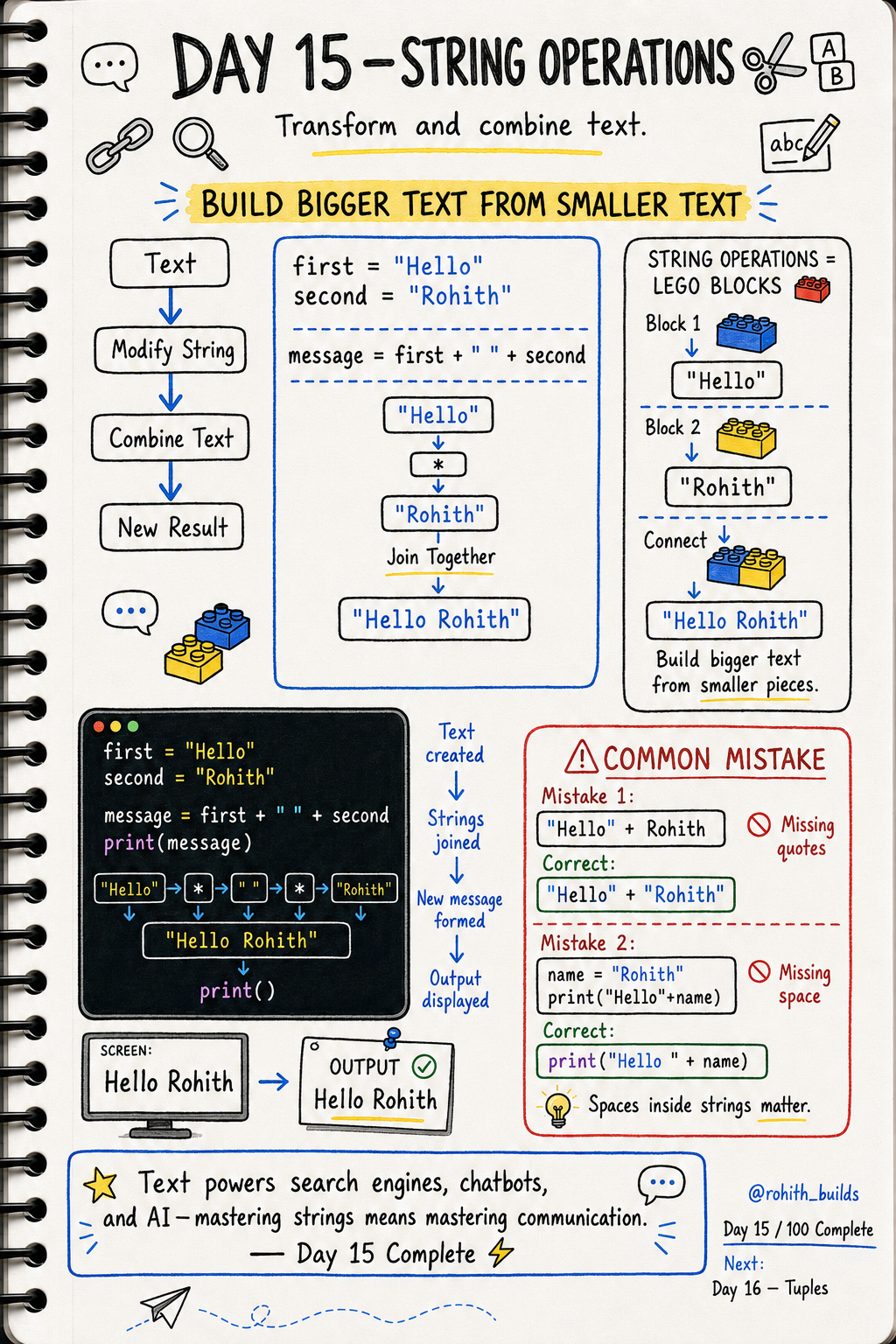
Day 15: String Operations — Playing With Text!
Strings Are Like LEGO Blocks
You know how LEGO blocks snap together to build something bigger? Strings work the same way! Take small pieces of text and connect them into one big message. Every notification, every chat message, every personalised greeting in every app is built this way!
Joining Strings — Concatenation
first = "Hello"
second = "Rohith"

message = first + " " + second
print(message)
Output: Hello Rohith. The + joins them together. The " " in the middle adds a space. Without it you'd get "HelloRohith" — no gap!
Real World Connection
When WhatsApp shows "Priya is typing...", it joins the name + " is typing...". When Swiggy says "Your order from McDonald's is on the way!", it joins your order details into one message. When Instagram says "Rohith liked your photo", it's just strings joined together!
f-Strings — The Easier Way
name = "Rohith"
age = 21

message = f"Hello {name}, you are {age} years old!"
print(message)
Output: Hello Rohith, you are 21 years old! Put f before the quote, then use { } to drop variables straight into the text. Way cleaner than using + everywhere. This is how professionals write it!
More String Operations
name = "  Rohith  "

print(name.strip())
print(name.replace("Rohith", "Priya"))
print("Rohith".count("h"))
strip() cleans messy spaces — used when users accidentally type spaces in forms. replace() swaps words — used in chat apps and search tools. count() counts letters — used in password checkers!
Common Mistakes
Mistake 1 — Joining text with a variable without quotes.
"Hello" + Rohith
"Hello" + "Rohith"
Mistake 2 — Forgetting the space between words.
name = "Rohith"
print("Hello" + name)
print("Hello " + name)
Mini Challenge
Mini Challenge
Ask the user for their name and favourite food. Then use an f-string to print "Hey [name], [food] sounds delicious!". You just built a personalised message system like every food delivery app uses!
Quick Quiz
Q: What does + do with strings? A: Joins them together — "Hello" + "World" = "HelloWorld"!
Q: What's the easier way to put variables inside strings? A: f-strings! f"Hello {name}"
Q: How do you remove extra spaces from a string? A: .strip() — name.strip()!
Key Takeaways
Key Takeaways
- Use + to join strings together — don't forget spaces between words!
- f-strings are the cleanest way to mix variables into text.
- strip() removes extra spaces. replace() swaps words. count() counts letters.
- Every personalised message in every app is built from string operations.
- Mastering strings means mastering how apps communicate with users!
Continue Learning with Rohi
You've used your 3 free Rohi questions. Create a free account to continue learning.