Dictionaries 📖🔑🗂️
Store data as key-value pairs. Like a contact book — search by name, get their number instantly!
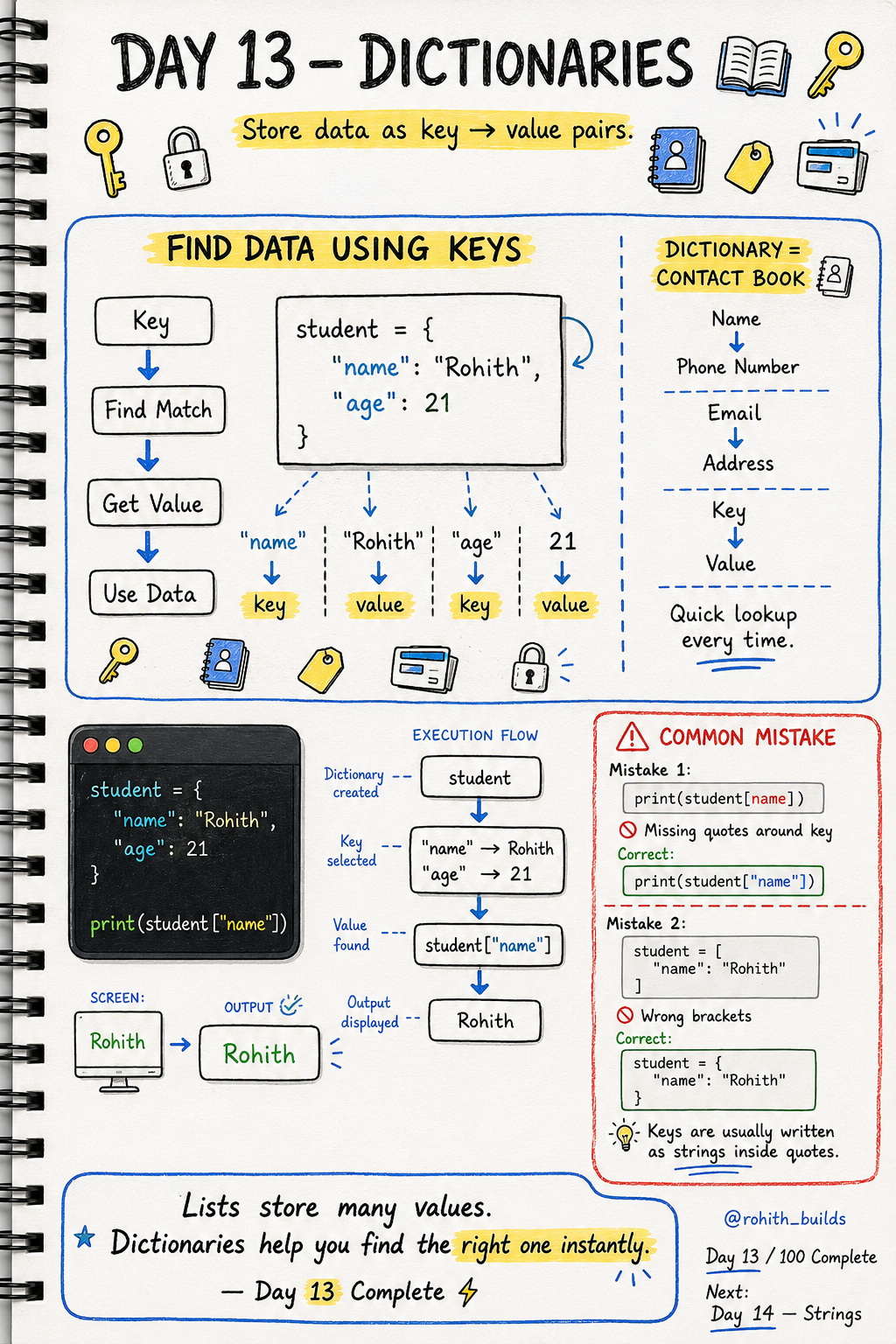
Day 13: Dictionaries — Find Any Data Instantly!
What's a Dictionary?
Open your phone contacts. You search "Priya" and instantly get her number. You didn't scroll through everyone — you searched by name and got the info. That's exactly how a Python dictionary works! Search by key, get the value instantly.
Creating a Dictionary
student = {
    "name": "Rohith",
    "age": 21
}
Curly brackets { } hold the dictionary. "name" is the key. "Rohith" is the value. Think of keys as labels and values as the information behind them!
Getting Values
print(student["name"])   # Rohith
print(student["age"])    # 21
Use the key in square brackets to get the value. Just like searching a name in your contacts to get their number!
Real World Connection
When you log into Instagram, your profile is stored as a dictionary — username, followers, bio, profile picture all linked to your account. When you order on Zomato, your order is a dictionary — items, price, address, status. Every user profile in every app is a dictionary!
Adding and Updating
student = {"name": "Rohith", "age": 21}

student["city"] = "Hyderabad"
student["age"] = 22

print(student)
Output: name Rohith, age 22, city Hyderabad. Adding a new key is like adding a new field to your profile. Updating is like changing your bio!
Common Mistakes
Mistake 1 — Missing quotes around the key.
print(student[name])     # WRONG
print(student["name"])   # CORRECT
Mistake 2 — Using square brackets instead of curly brackets.
student = ["name": "Rohith"]   # WRONG
student = {"name": "Rohith"}   # CORRECT
Mini Challenge
Mini Challenge
Create your own profile dictionary with name, age, city and favourite app. Print each value using its key. Then add a new key "hobby" and print the whole dictionary. You just built your own user profile system!
Quick Quiz
Q: What brackets do dictionaries use? A: Curly brackets { } — not square [ ] like lists!
Q: How do you get the "age" value from a dictionary called person? A: person["age"]
Q: What's the difference between a list and a dictionary? A: Lists use positions (0, 1, 2). Dictionaries use named keys ("name", "age")!
Key Takeaways
Key Takeaways
- Dictionaries store data as key-value pairs inside curly brackets { }.
- Use the key in square brackets to get its value — dict["key"].
- Keys must always be in quotes when accessing them.
- You can add new keys or update existing ones anytime.
- Every user profile, order and settings in every app is a dictionary!
Continue Learning with Rohi
You've used your 3 free Rohi questions. Create a free account to continue learning.