Mini Project 🎯💻🧩
Combine everything from Week 1 into one real program. Variables + Input + Conditions + Loops working together.
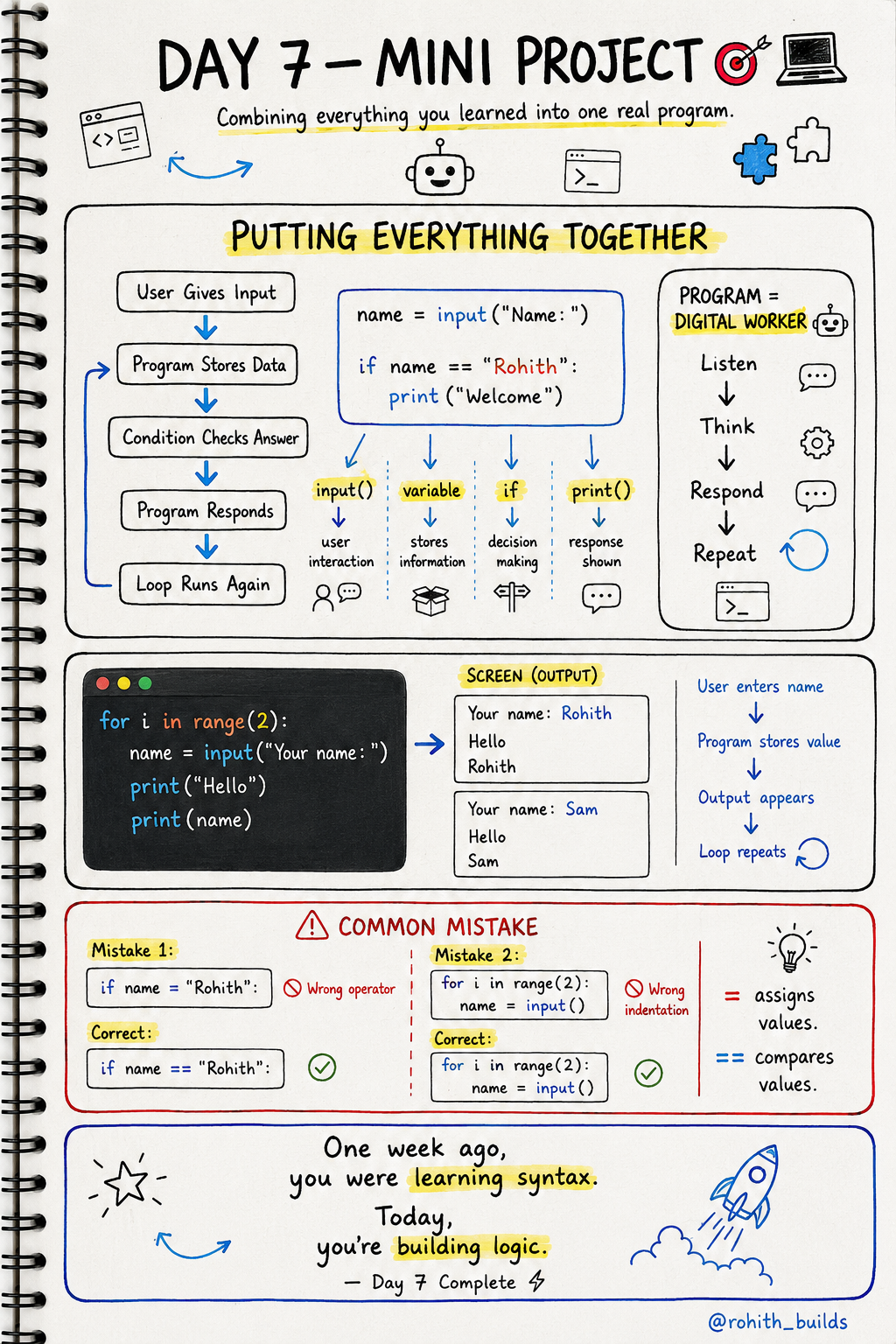
Day 7: Mini Project — Let's Build Something Real!
Remember What You Learned?
Variables store things. Input asks the user. Conditions make decisions. Loops repeat stuff. Today we mix ALL of them like ingredients in a recipe!
Think of It Like a Robot Friend
Imagine a robot at your school gate. It asks every student their name, says hello, and gives a special message to the class monitor. It does this for every student without getting tired. That robot is just input + variable + if + loop working together!
Let's Build It Step by Step
Step 1 — Just input and print:
name = input("Your name: ")
print("Hello", name)
Step 2 — Add a condition:
name = input("Your name: ")

if name == "Rohith":
    print("Welcome back boss!")
else:
    print("Hello", name)
Step 3 — Add a loop so it works for 3 students:
for i in range(3):
    name = input("Your name: ")

    if name == "Rohith":
        print("Welcome back boss!")
    else:
        print("Hello", name)
See how we built it piece by piece? That's exactly how real developers code!
Real World Connection
When you log into Instagram it asks your username (input), stores it (variable), checks if it matches (condition), then shows your personal feed (output). You just built that exact same logic!
Full Project: Score Checker
for i in range(3):
    name = input("Player name: ")
    score = int(input("Your score: "))

    if score >= 90:
        print(name, "Grade A!")
    elif score >= 70:
        print(name, "Grade B!")
    else:
        print(name, "keep practicing!")

    print("---")
All 6 concepts in 10 lines. This is literally how every school grading app works!
Common Mistakes
Using = instead of == inside if.
if name = "Rohith":   # WRONG
if name == "Rohith":  # CORRECT
Wrong indentation inside the loop.
for i in range(3):
name = input()       # WRONG — not indented!

for i in range(3):
    name = input()   # CORRECT
Mini Challenge
Mini Challenge
Build a simple login system! Ask for username and password. If username is "admin" and password is "1234" print "Welcome!". Otherwise print "Wrong password!". You just built a real login system!
Quick Quiz
Q: Which concept stores the user's name after they type it? A: Variables! name = input("Name: ")
Q: = vs == — which goes inside an if statement? A: == always! = stores, == compares.
Q: What repeats the whole program for 3 students? A: A loop! for i in range(3)
Key Takeaways
Key Takeaways
- Real programs mix input, variables, conditions and loops together.
- Build step by step — add one concept at a time.
- == compares things. = stores things. Never mix them up.
- 10 lines of code can build a real working program.
- Every app you use is just these concepts combined!
Continue Learning with Rohi
You've used your 3 free Rohi questions. Create a free account to continue learning.