Environment Setup 🛠️💻⚡
Set up Python, VS Code, virtual environments, and required libraries to prepare your AI Agent development environment.
Day 1 — Setup Your Environment
AI Agent Course — RohithBuilds
Today you will set up everything needed to build your AI Agent. By the end of this lesson your computer will be ready and you will have run your first Python code.
Step 1 — Check if Python Is Installed
Open Command Prompt and run:
python --versionExpected Output
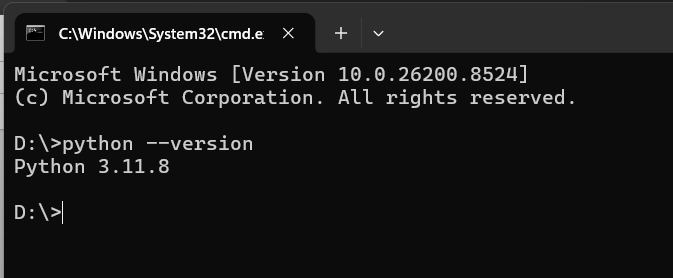
If It Doesn't Work
Try:
py --versionIf you see a Python version, Python is installed successfully.
Step 2 — Create Your Project Folder
Open Command Prompt and run:
mkdir ai-agent-course
cd ai-agent-course
Expected Output
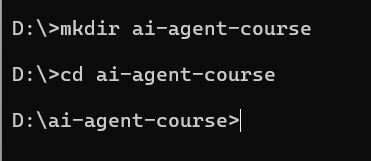
You will be inside the ai-agent-course folder.
Step 3 — Create a Virtual Environment
Run:
python -m venv venvActivate it:
Windows
venv\Scripts\activateMac / Linux
source venv/bin/activateExpected Output
You should see:
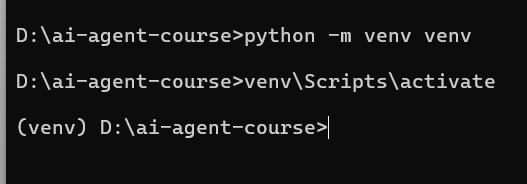
at the beginning of your terminal line, which means the virtual environment is active.
Step 4 — Install VS Code
- Download and install VS Code from https://code.visualstudio.com
- Open VS Code
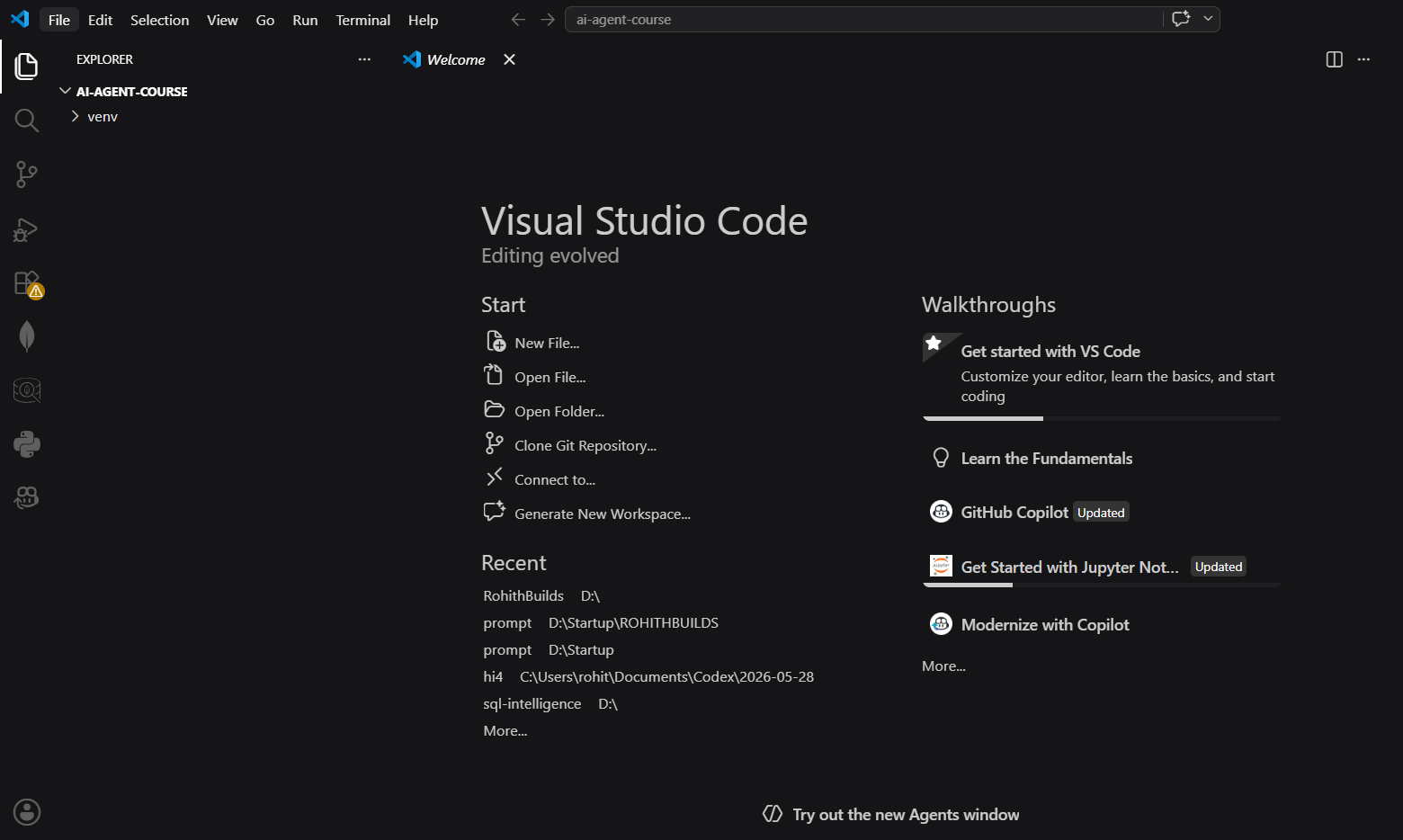
- Click File → Open Folder
- Select your
ai-agent-coursefolder
Expected Output
VS Code opens successfully
ai-agent-course folder is visible in the Explorer
Step 5 — Your First Python File
Create a file named main.py and add:
print("Hello, World!")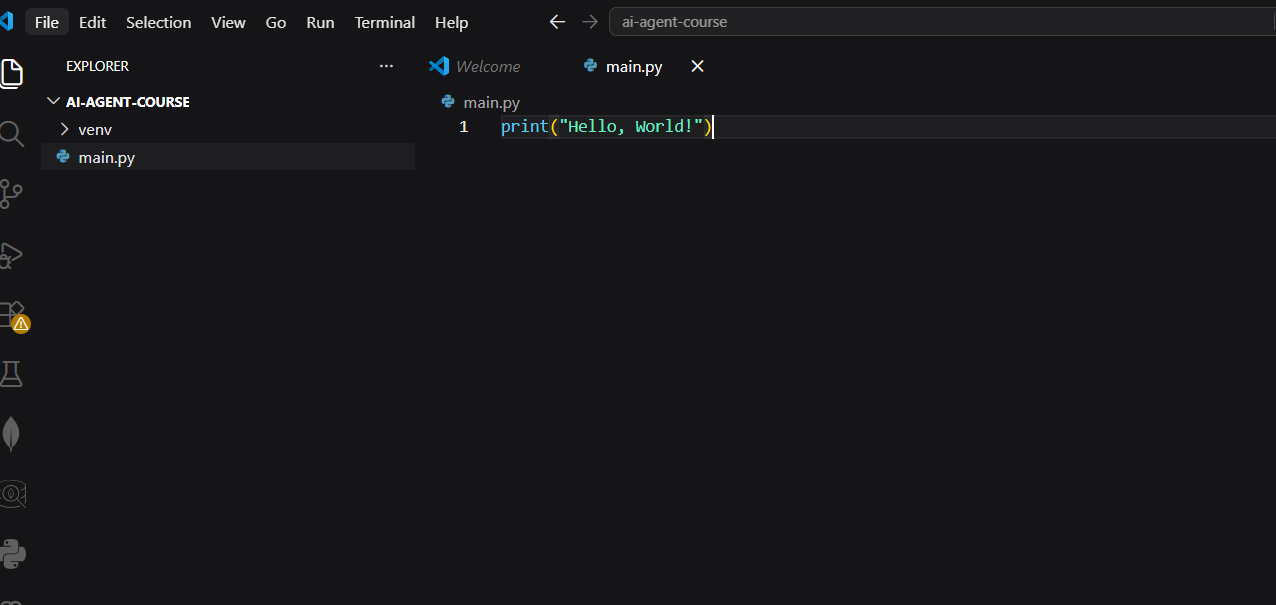
Run the file:
python main.pyExpected Output
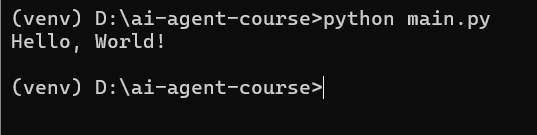
Hello, World!Step 6 — Install Required Libraries
Run the following command in Command Prompt:
pip install groq python-dotenv duckduckgo-search flask requests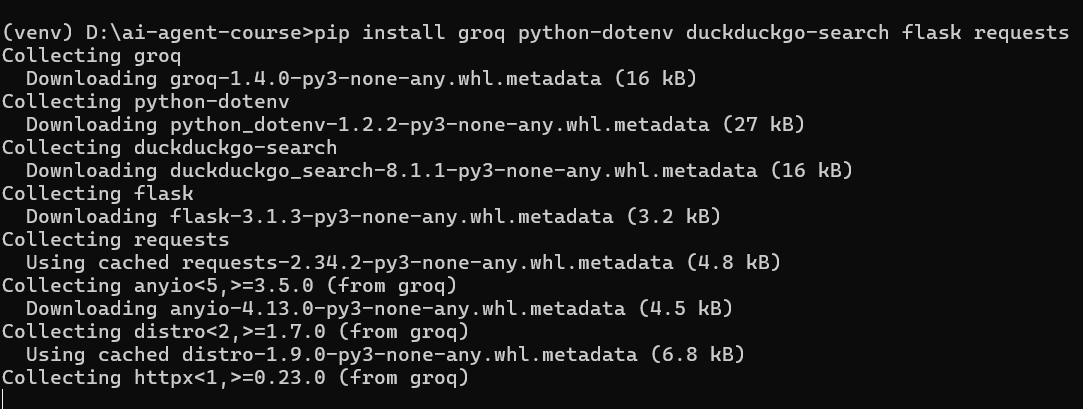
Expected Output
You should see messages similar to:
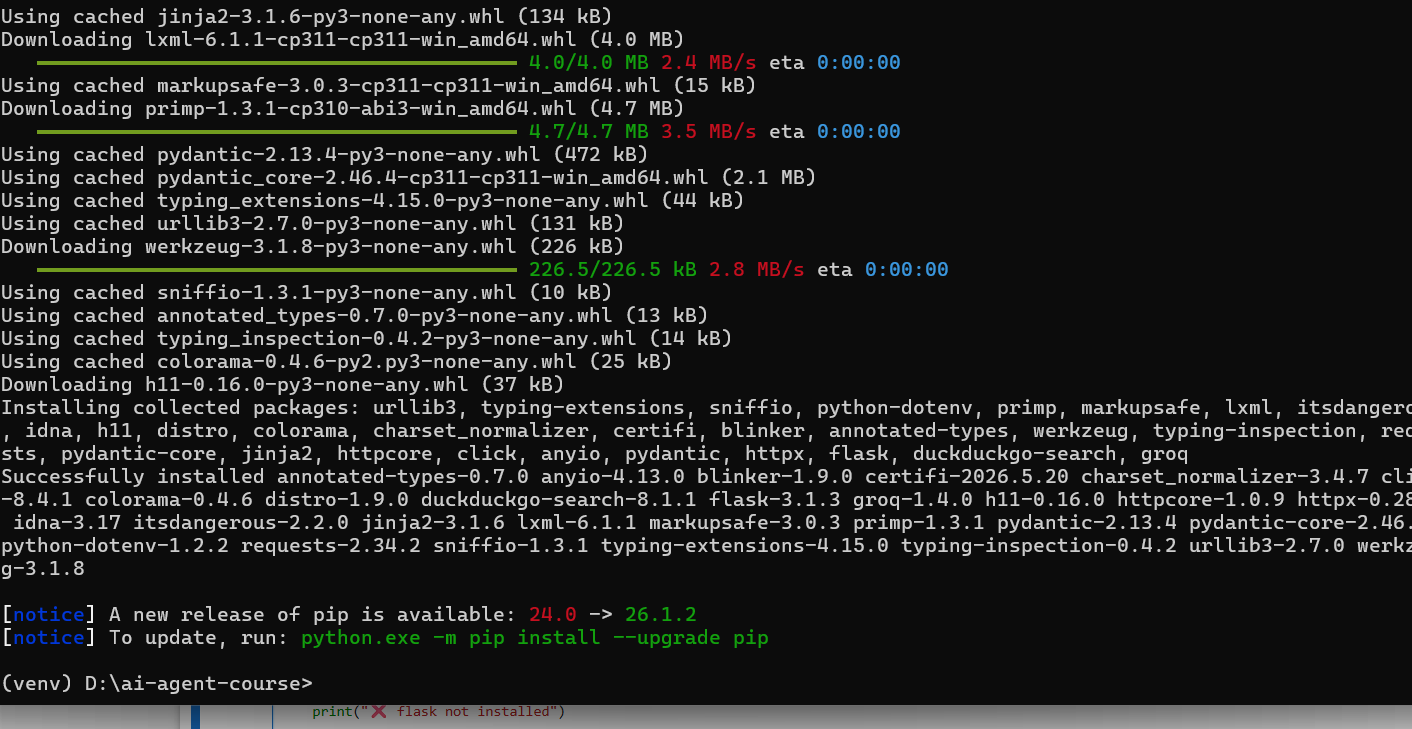
Step 7 — Verify All Libraries Are Installed
Open main.py and add:
try:
    import groq
    print("groq is ready")
except ImportError:
    print("groq not installed")

try:
    import dotenv
    print("python-dotenv is ready")
except ImportError:
    print("python-dotenv not installed")

try:
    from duckduckgo_search import DDGS
    print("duckduckgo-search is ready")
except ImportError:
    print("duckduckgo-search not installed")

try:
    import flask
    print("flask is ready")
except ImportError:
    print("flask not installed")

print("\nAll libraries ready! You are set for Day 2.")
Run:
python main.pyExpected Output
groq is ready
python-dotenv is ready
duckduckgo-search is ready
flask is ready

All libraries ready! You are set for Day 2.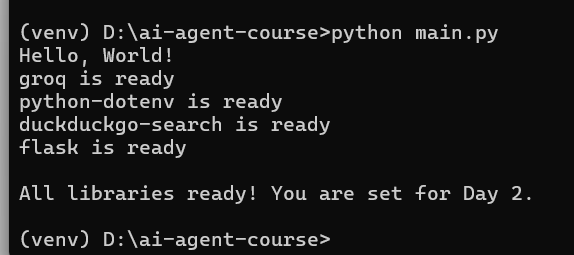
✅ Day 1 Complete
Here is what you accomplished today:
Key Takeaways
- Python version checked ✅
- Project folder created ✅
- Virtual environment active ✅
- VS Code installed ✅
- All libraries installed ✅
- First Python code ran ✅
What is Coming Tomorrow
On Day 2 you will:
- Create a free Groq account at console.groq.com
- Get your API key
- Make your first real AI call in Python and see a response in under 1 second
See you there! 🚀
Continue Learning with Rohi
You've used your 3 free Rohi questions. Create a free account to continue learning.